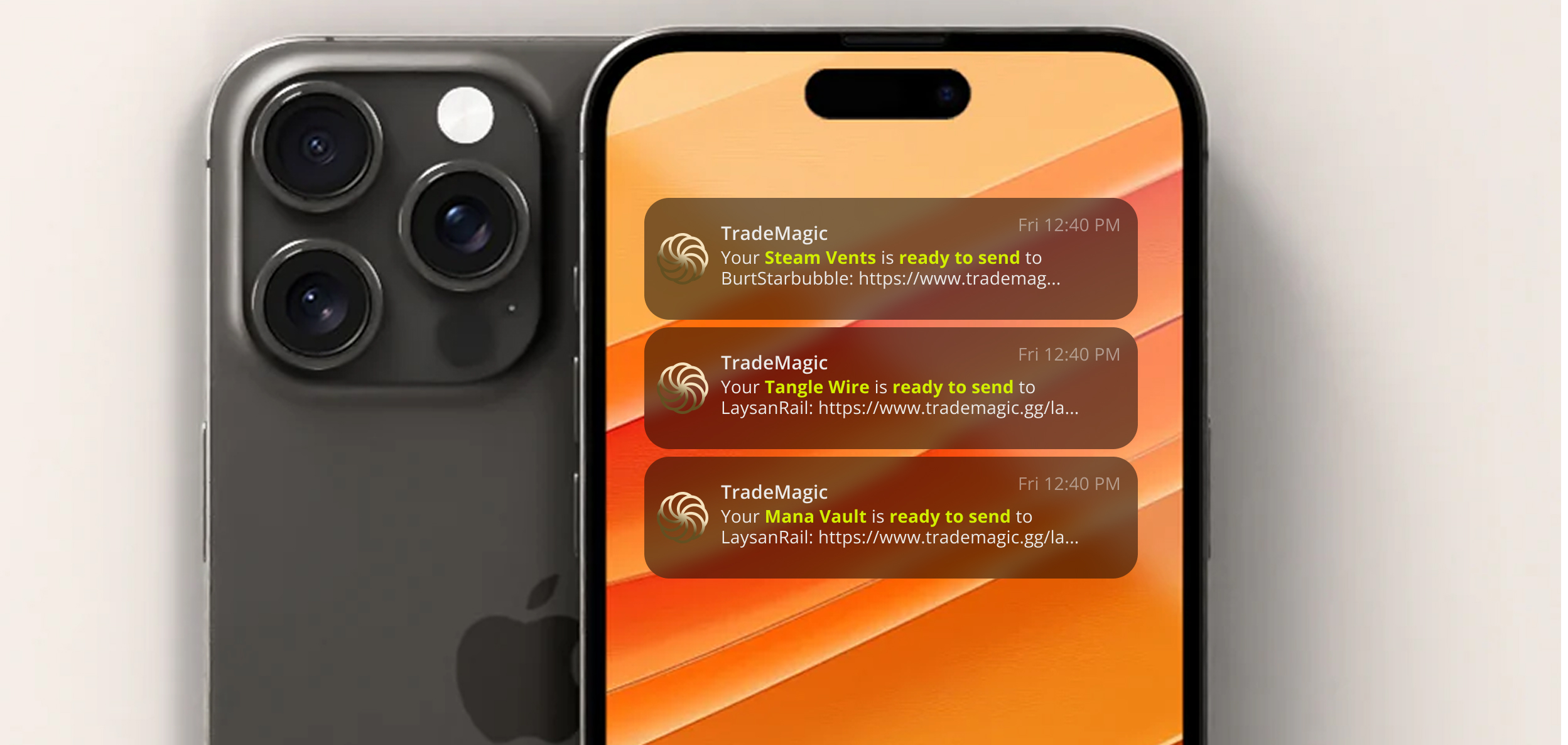
In the first two weeks of September, 23 of the 35 free traders in the US and Canada who received SMS trade alerts had already used up their allowance for the month. Two thirds of the people using the feature were running out halfway through. As of this release, that allowance is three times larger.
Your new, better monthly caps
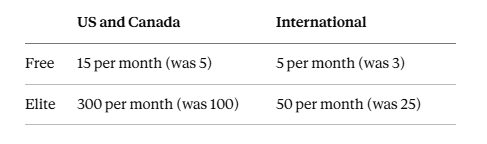
The international numbers grow by less for a simple reason: a text to a number outside the US and Canada costs us several times what a domestic one does. We'd rather set caps we can keep than raise them and walk them back later.
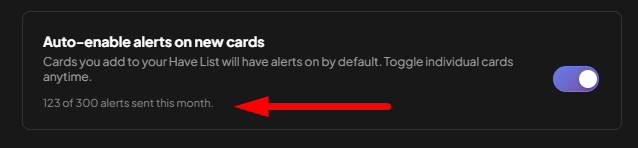
Caps reset on the 1st of each month. If you hit the old cap earlier this month, your alerts have already resumed, and Settings shows how many you've used so far.
Why we raised them
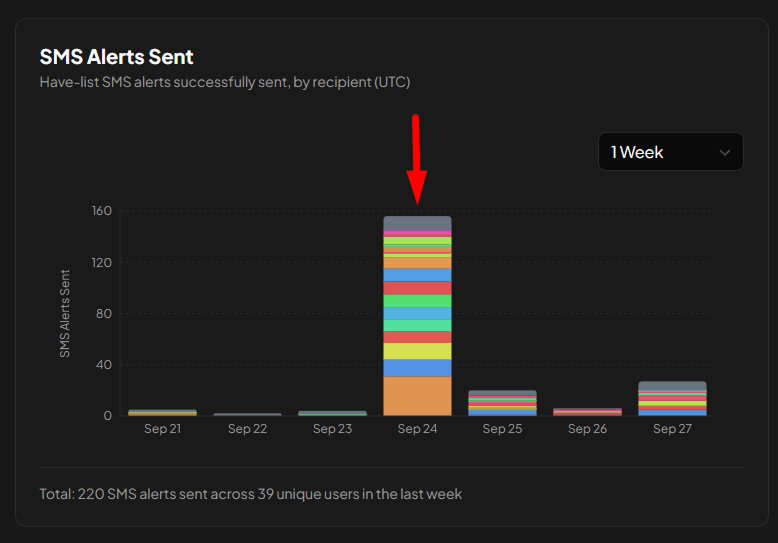
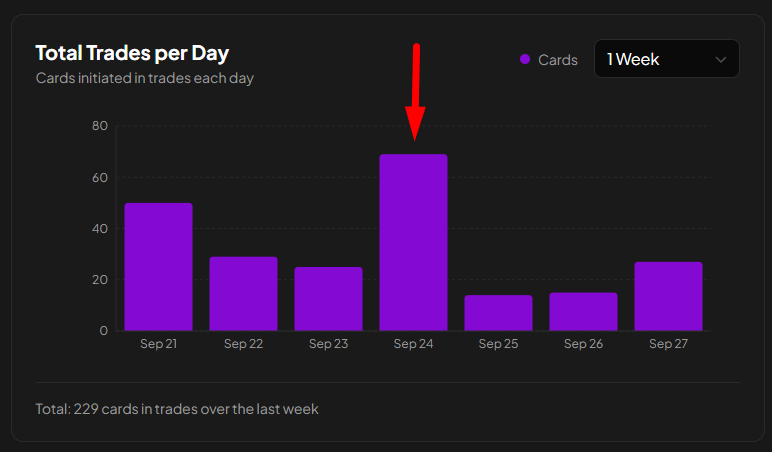
The main reason is that it's good for trade! Since alerts launched in May, the number of trades on the site has moved up and down with the number of alerts we send. More texts telling traders that someone wants a card sitting in their binder means more of those cards get sent. Holding free members to five a month meant we were holding back trades.
The other reason is you. We've heard from a lot of members that the texts are the easiest way to stay on top of what's available to send without checking the Send Cards page every day.
Setting up alerts
Alerts only fire for cards on your Have List, so the most useful thing you can do is build it out with every card you're actually willing to send. The more complete the list, the more wants it can match. Then:
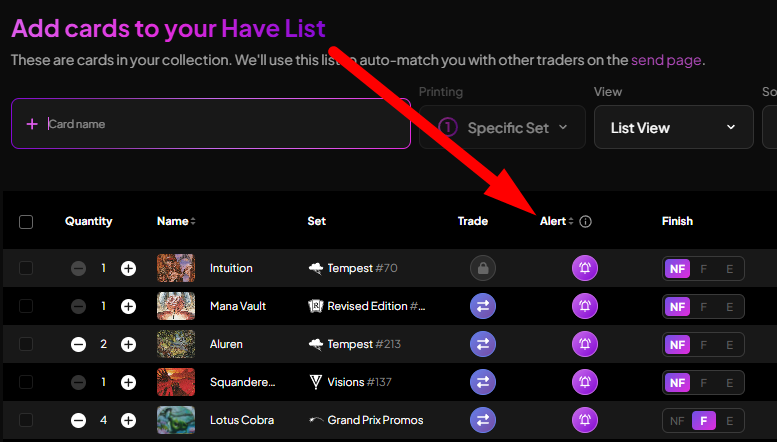
Open your Have List in List View. The Alert column doesn't appear in Image View.
Click the bell next to any card to turn its alert on. If you haven't enabled SMS yet, you'll be prompted to add and verify your phone number first.
To cover your whole list at once, set a global rule instead of clicking card by card, for example: text me when someone wants any card I have worth 100 points or more.
Our bulk alerts guide walks through the global settings step by step, and the original SMS trade alerts article covers how the texts themselves work.
What's next
The next improvement we're considering is fewer, better texts. Right now, if one trader adds five cards to their Want List that I have on my Have List, I can get five separate alerts. I really only need one, since opening their profile shows me everything I can send them. Grouping alerts per trader, or rolling them into a daily summary, would make each text carry more and stretch your monthly allowance further. If you have other ideas for making alerts more useful, tell us by clicking Feedback.
Supporting the site
Every one of these texts costs real money to send, and Elite is what pays for them. If alerts are turning into trades for you, Elite takes you to 300 a month (50 internationally) and helps keep the feature generous for everyone else. Huge thank you to all of our Elite members for helping to keep the site humming.
If you haven't tried alerts yet, open your Have List, switch to List View, and turn on the bell for the cards you'd most like to move!
Keep reading
- Sustainable Economics Pt. 3: Year One
TradeMagic just turned one! Here's the year in four charts & where the economy stands - How It Works: Collection Focus Mode
One click collapses everything on My Cards except the search and your list, then makes the cards big. - What's New: Focus Mode, Trade Offer Revisions, and Sidebar Mode on /sendcards
Focus
Stay Connected
Follow TradeMagic for updates, tips, and community highlights:
Questions or feedback? We'd love to hear from you!