TradeMagic Play goes from a single-organizer tool to something a store or playgroup runs together, with organizations, co-organizers, and organizers who can play in their own events. On the trading side, Send Cards flips its default from preselecting everything to a pick-to-add trade cart, and Trade Builder offers become a real negotiation with revisions, change logs, and decline reasons.
🌟 Major Features
Send Cards: Sidebar View
Sidebar view is the new default - Send Cards no longer preselects every matching card into a package. You now start empty and add the cards you actually want to send: hover a card for "Add to Trade," stage cards into a trade cart with per-card printing, condition, and language controls, and create the trade straight from the cart. A "Start packages" toggle brings back the old preselect-everything behavior and remembers your choice on your account.
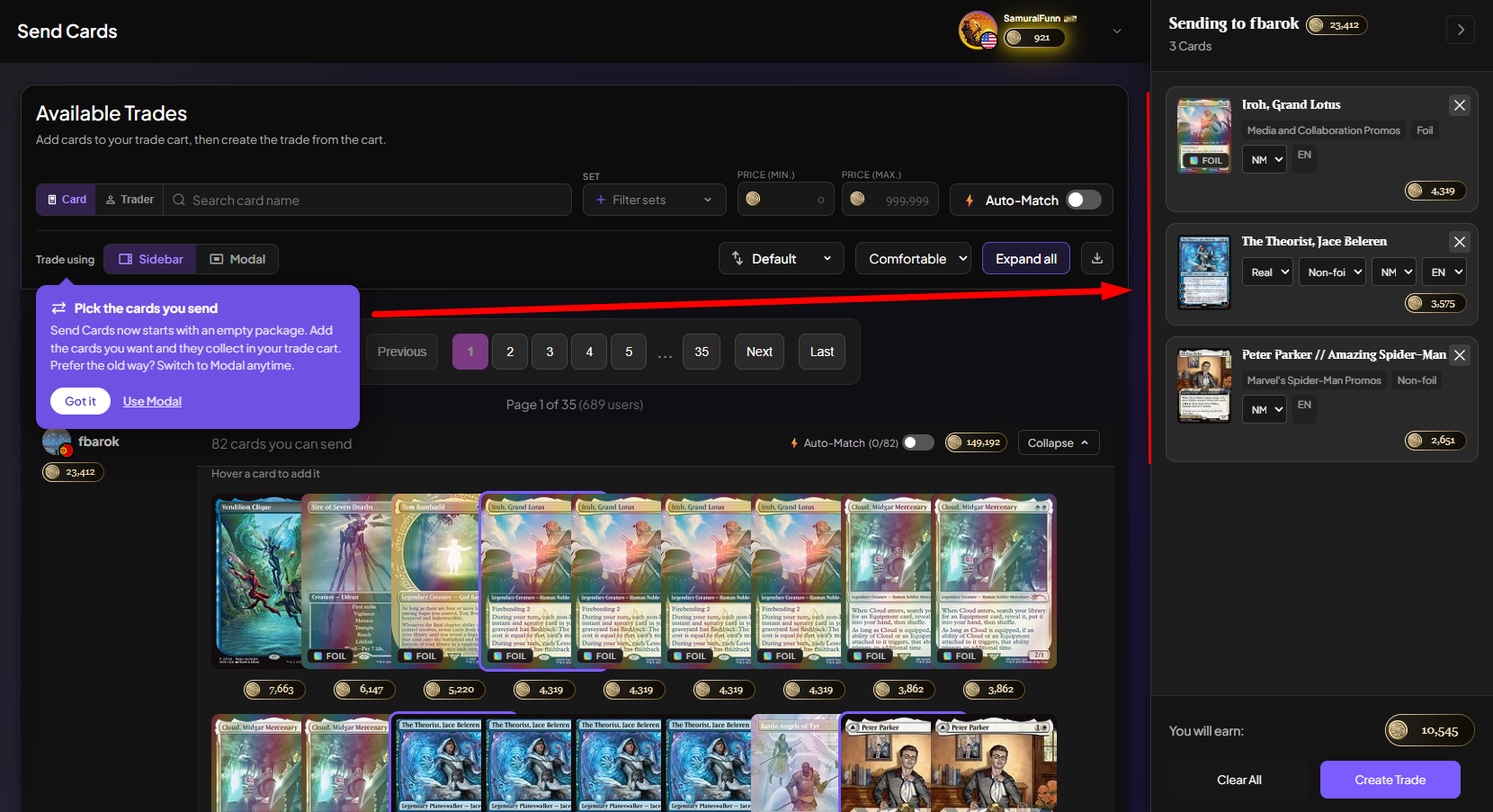
A trader list you can trust - Match counts no longer show impossible numbers like "61 of 55," the header total now equals the sum of the traders listed, and traders can no longer be counted but missing from the list. "Most cards" now actually sorts by match count, and a new "Most Points" sort ranks traders by buying power. Match alert texts now open the trader's profile with Auto-Match already on.
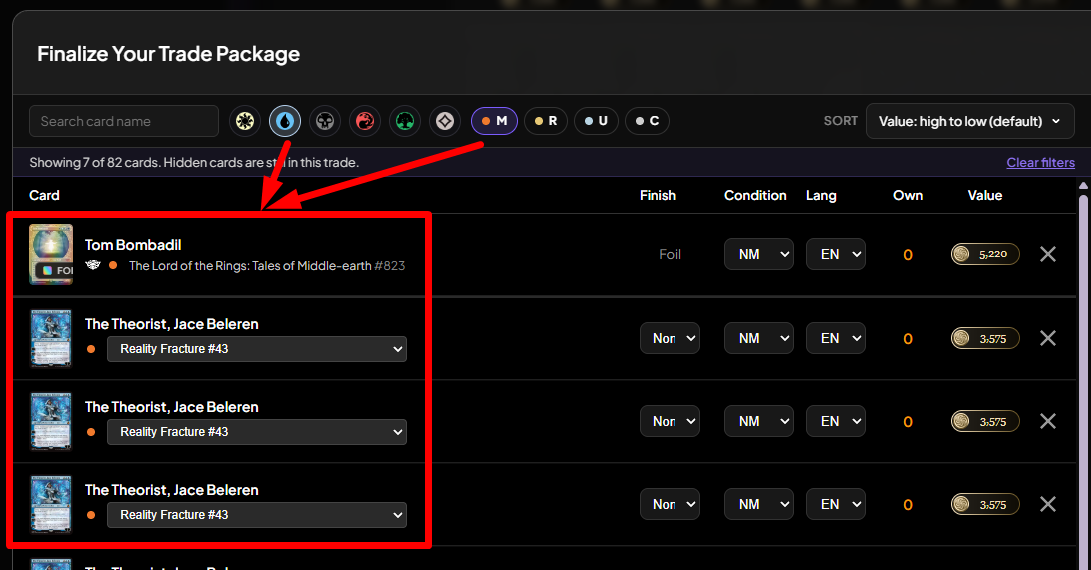
Sort and filter inside the trade modal - The Finalize Trade modal gains card search, color and rarity filters, and sorting by value, name, color, or set and collector number, with the same set sorts added to Sending and Receiving. Filters only change what you see, never what gets sent, and trade headings now show card counts. Also fixed: "Value: low to high" now sorts ascending.
Trade Offers: Negotiate, Don't Start Over
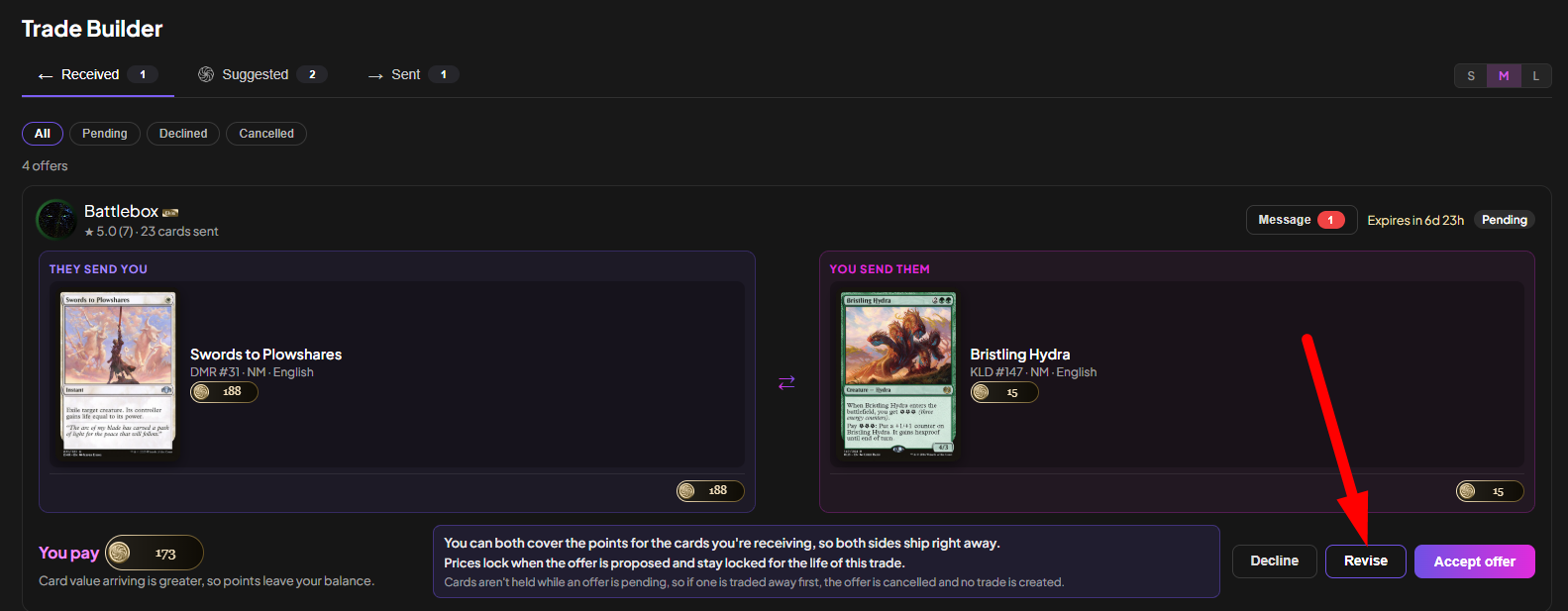
Revisions with a change log - On your turn, you can now revise a Trade Builder offer instead of declining it: the builder opens seeded with the latest version, tags every addition, change, and removal, and keeps a per-version change log with undo. Declining can carry a reason and a note, shown to the sender, and every offer card gets a Message button that opens the offer's own Inbox thread with the full version history.
Your own cards, your call - Revising an offer to include your own cards that aren't marked "for trade" now works; adding the card is treated as consent. One behavior change to know: unmarking a card "for trade" no longer pulls it from an offer you already sent, so withdraw by revising or cancelling instead.
Less déjà vu in Suggested trades - The partner cooldown now starts when a suggestion ends rather than when it was created, and runs 14 days, escalating to 30 for pairs that repeatedly don't work out. Completing a trade together resets it.
Collection & Profiles
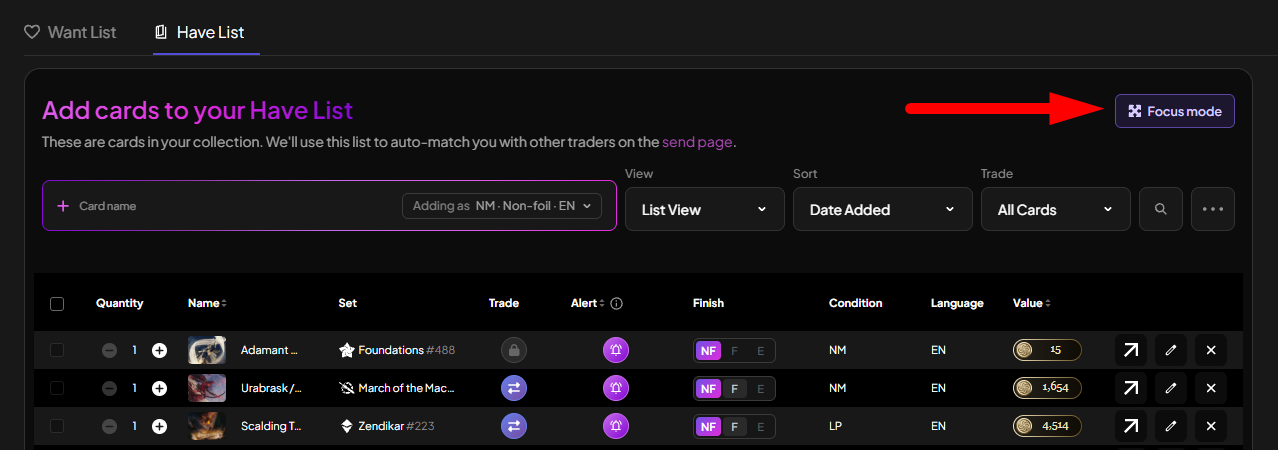
Collection Focus Mode - A "Focus mode" button on My Cards collapses the nav, filters, and header into one compact bar for card entry, with an S/M/L size control. M and L enlarge the search, results, and rows with full card thumbnails, built for long entry sessions on desktop.
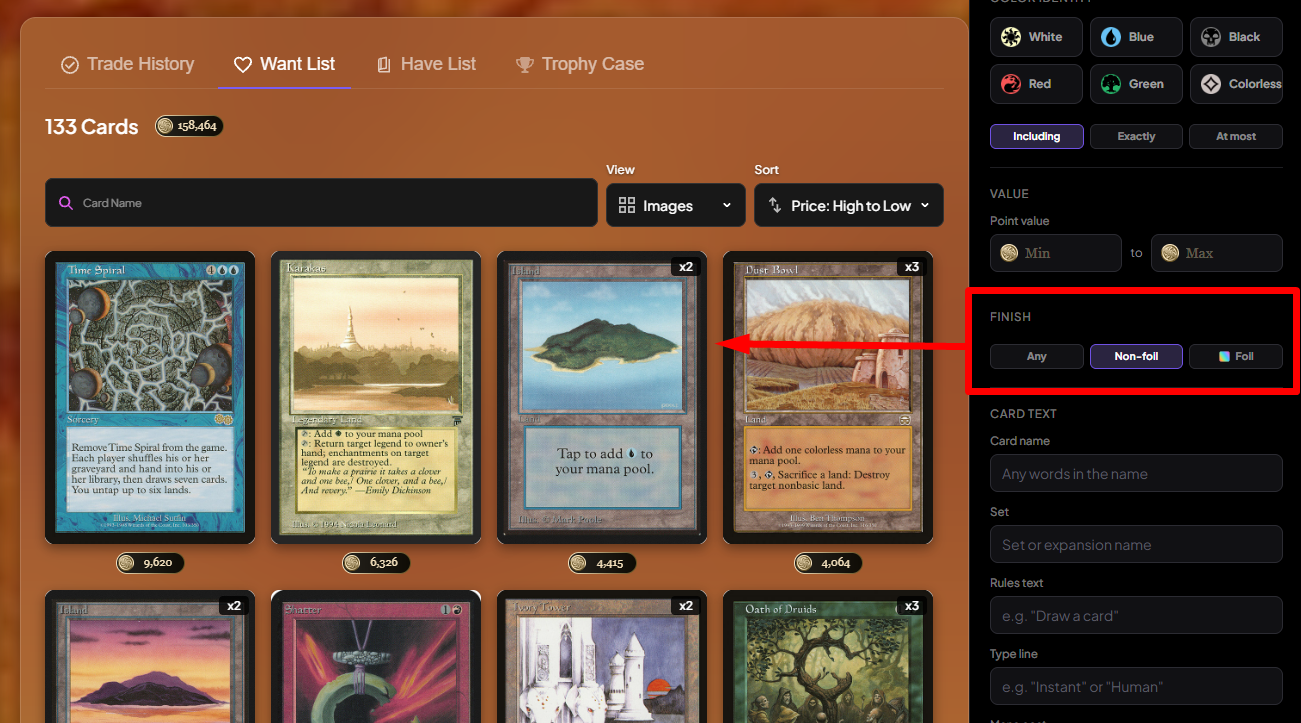
Finish filter on profiles - Profile card lists gain a Finish filter (Any, Non-foil, Foil) that runs server-side, so a foil buried on page 6 shows up on page 1. The choice lives in the URL, so filtered links can be shared.
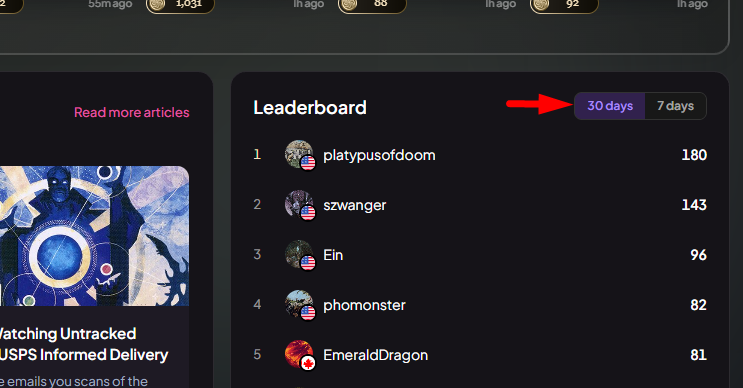
Leaderboard: 30 days or 7 - The leaderboard gets a "30 days" / "7 days" toggle, both rolling windows, so the board never resets to empty on Monday mornings. Your choice is remembered.
Fees, Clear in the Ledger
No more double-fee illusion - Transaction History now groups a completed trade as the gross trade row, its fee row, and a NET line showing the real balance change, with a balance column on desktop. It always worked this way; now it reads that way. Fee rows link to the Elite zero-fee explanation, with a tooltip explaining each fee, and fee-free trades are tagged "No fee · Elite" or "No fee · offer."
TradeMagic Play: Organizations and a Better Event Day
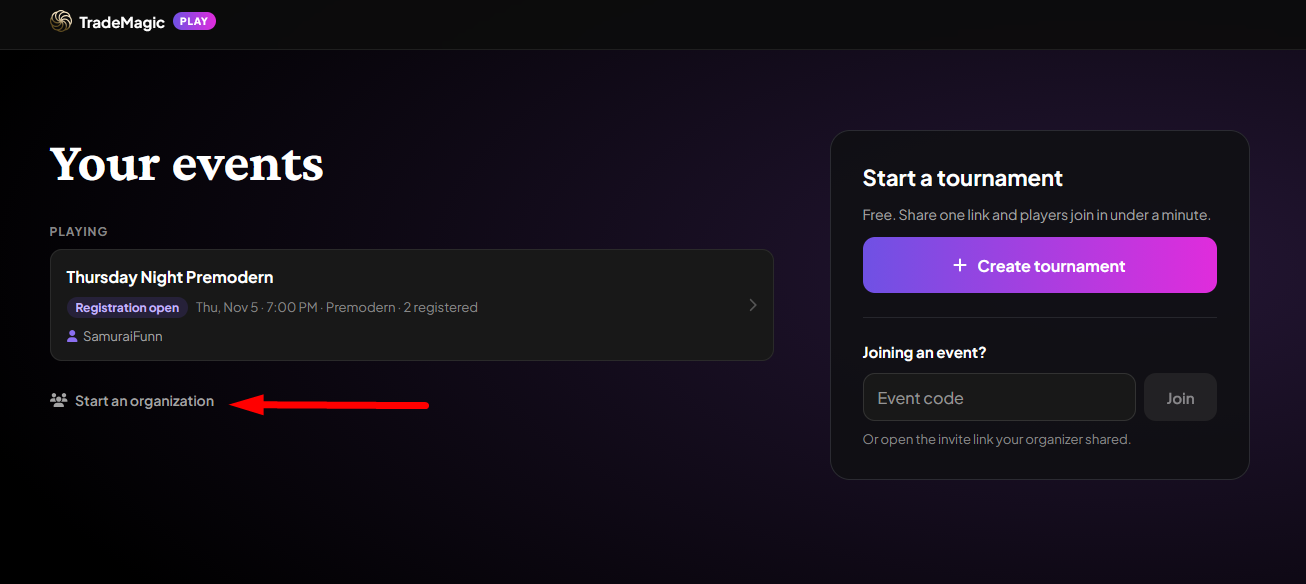
Organizations and co-organizers - Create an organization from Your Events, add other organizers by username, and host events under the org's name. Every member gets full tournament control, per-event co-organizers can be added for one-off help, and a live toast shows what other organizers are doing ("paired round 2"). Each org gets a public page listing its live, upcoming, and past events, so players can find a store's next event and join it, not just see history.
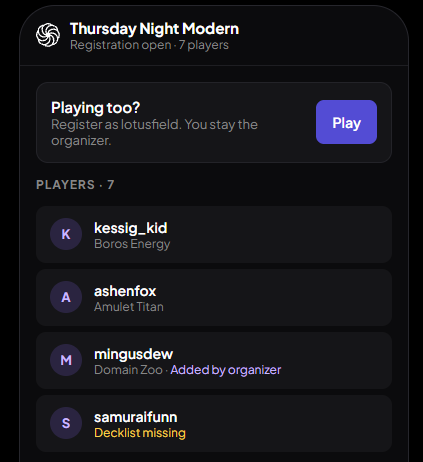
Organizers can play in their own events - A "Playing too?" card registers you as a player while keeping the admin view, with your own match pinned to the Round tab. Your match results require opponent confirmation so nobody referees their own game, and organizers can also add or edit any player's decklist, labeled "Added by organizer."
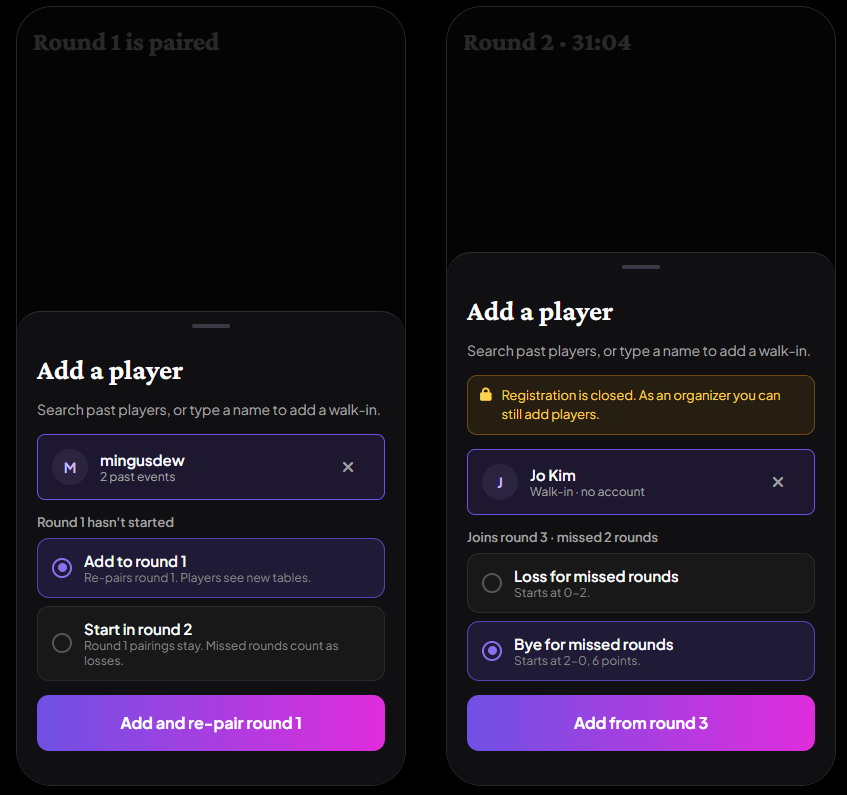
Late arrivals and returning players - A new "Add late player" button on the Round tab seats latecomers at any point, re-pairing an unstarted round or assigning a loss or bye for missed rounds. The Add Player sheet now autocompletes returning players with their past-event counts, and duplicate player names are blocked, so no more "Josh vs Josh" pairings.
Simpler result reporting - The result picker is now two per-player game-win steppers with a plain-English summary ("Mr. Mingo wins 2-0") instead of an option list, and invalid best-of-3 scores can't be submitted.
A real desktop page - At desktop widths, TradeMagic Play is a two-column layout with a sticky "Start a tournament" panel and a new join-by-code field. The Deck tab no longer traps players in a full-screen editor; the tab bar stays put.
🐛 Bug Fixes
Send Cards no longer crashes Safari on iPhone - The page was decoding roughly 100x more image data than it needed, which killed the tab on iPhones. It now loads small images and renders only traders near the viewport; everything is still reachable by scrolling.
Card details reachable on phones - Tapping a search result on a touch device now offers "View card details" as the first action, opening the exact printing you tapped. Four more hover-only actions became tappable, including the card page's Set Avatar and Set Banner buttons.
Broken card thumbnails - Card images across 22 surfaces, including the Inbox package list, now fall back through image sizes to the card back instead of showing a broken-image icon.
Elite cosmetics end when Elite ends - Lapsed Elite members' chat bubble colors, animated borders, and custom profile URLs no longer display to other users. Choices are kept, not cleared, and everything returns on resubscribe; old custom URLs redirect so shared links keep working.
Header menu layering - The account dropdown no longer opens behind the frosted-glass panel on card detail pages at mid-desktop widths.
✨ Polish
Add from the Trade Builder's list view - Compact card rows in the Trade Builder now show the same purple "Add to Trade" hover overlay as the expanded grid, and the Add button is now filled purple instead of a thin outline.
Articles link their cards - Card names in Articles are now links to their card pages, and every article ends with a "Keep reading" block of three related reads.
Elite page fits phones - The redesigned Elite page no longer overflows sideways on small screens; the Profile Studio, toggle, and fee calculator all stack properly.
Trade reviews from our side - When TradeMagic opens a review on a trade, both traders now see it announced in the trade's thread ("We'll follow up here") instead of it happening silently.
Setup banner badge - The red task-count badge on the sidebar Home link now also shows on the setup banner, and both update together.
Keep reading
- Sustainable Economics Pt. 3: Year One
TradeMagic just turned one! Here's the year in four charts & where the economy stands - How It Works: Collection Focus Mode
One click collapses everything on My Cards except the search and your list, then makes the cards big. - How It Works: The New Inbox
Every trade now has its own thread, the trade's details sit beside the conversation, and getting an admin involved is a guided flow instead of a button and a prayer.
Stay Connected
Follow TradeMagic for updates, tips, and community highlights:
Questions or feedback? We'd love to hear from you!