Entering a stack of cards means reading the smallest print in Magic. Is that the set symbol for Innistrad: Midnight Hunt or its promo variant? Is that tiny planeswalker stamp telling you this is a promo pack card? While entering stacks of our own cards recently, we kept catching ourselves leaning into the monitor to check details a few pixels wide, on a page where the list itself didn't even start until 600 pixels down the screen, below the nav, the filters, the stat boxes, and the tab row. Focus Mode exists so card entry gets the whole screen and type you can read from a normal sitting position.
The reason to enter those stacks at all hasn't changed. A bigger Have List means auto-match finds more cards you can send without hunting for them, and more raw material for the Trade Builder to build two-way trades from. Importing a collection file is still the fastest start if you have an accurate one, but plenty of collections live in boxes, not spreadsheets, and sometimes you've just cracked a box or bought a lot. That's the stack Focus Mode is for.
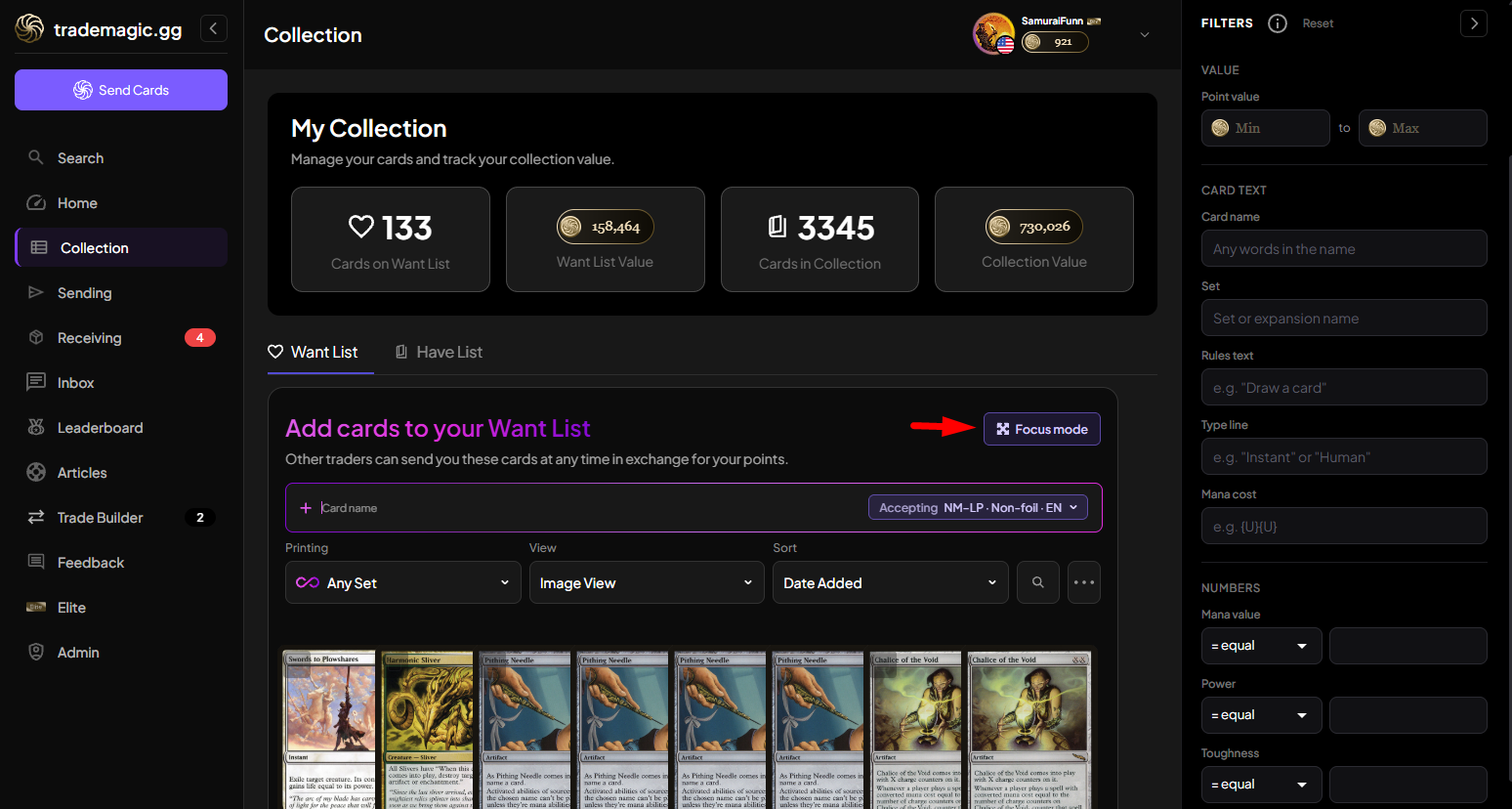
Turning it on
Both the Have List and Want List now have a "Focus mode" button at the right end of the Add cards row (desktop only; phones already hide the sidebars). Click it and the page clears out: both sidebars slide away, and the header, stat boxes, tabs, and sort controls collapse into one slim bar at the top. That bar keeps what you actually need mid-session: both list tabs with their live card counts and point values, so you can flip from Have List to Want List without leaving focus, a size control, and an Exit focus button.
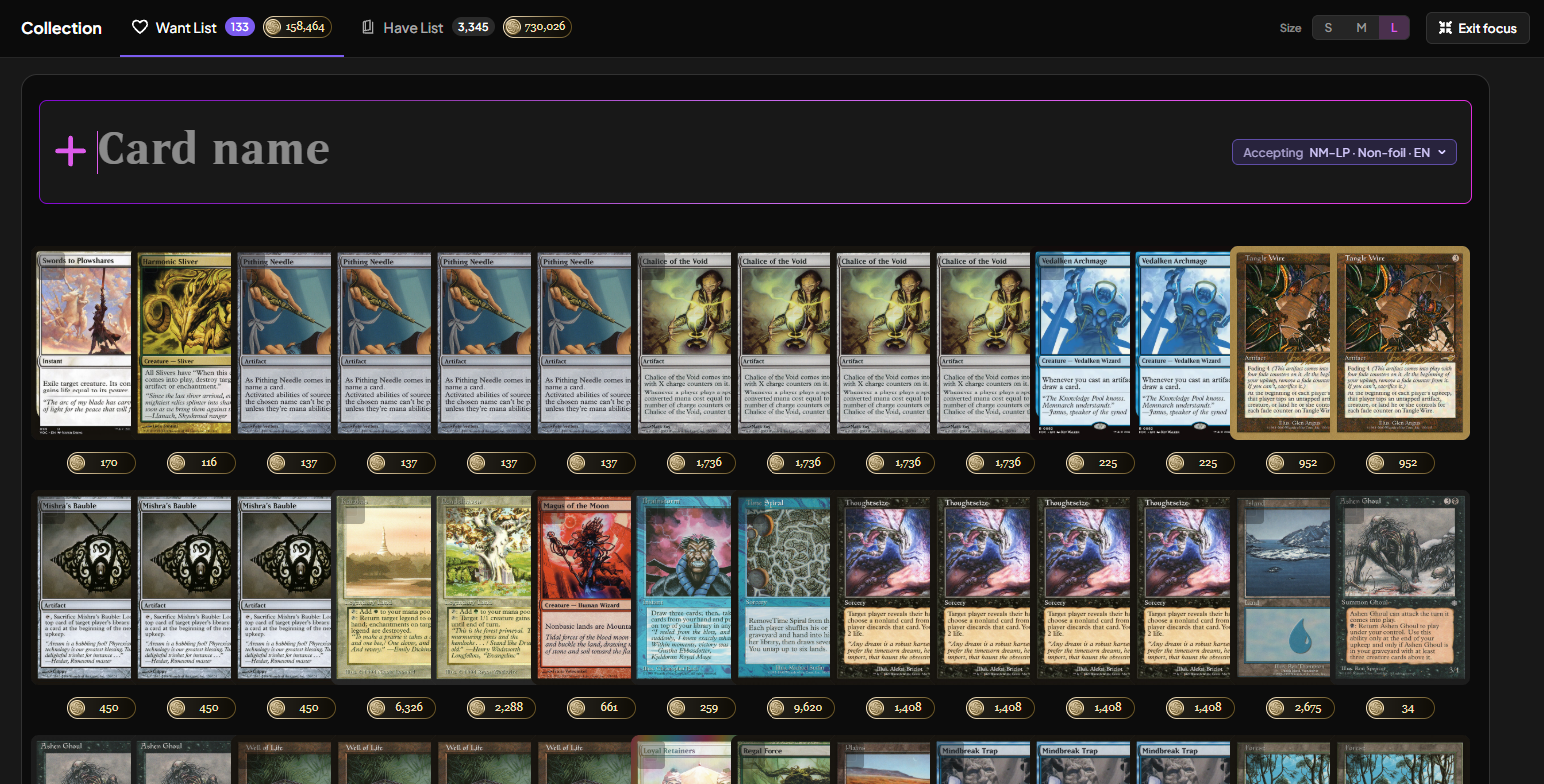
Exiting puts everything back exactly as you left it, including whether your sidebars were collapsed. And the mode is remembered: reload the page or come back tomorrow, and you're still in focus until you exit.
S, M, and L
S is the normal page sizing. M and L scale the three things you're actually reading, together: the search bar, the search results, and your list rows. At L, the search bar nearly doubles in height, result thumbnails grow to twice their size, and list rows go from 38 pixels tall to 104, swapping the little art-crop avatar for a full card thumbnail. Set symbols in your list more than double. The differences between two printings stop being a squint test.
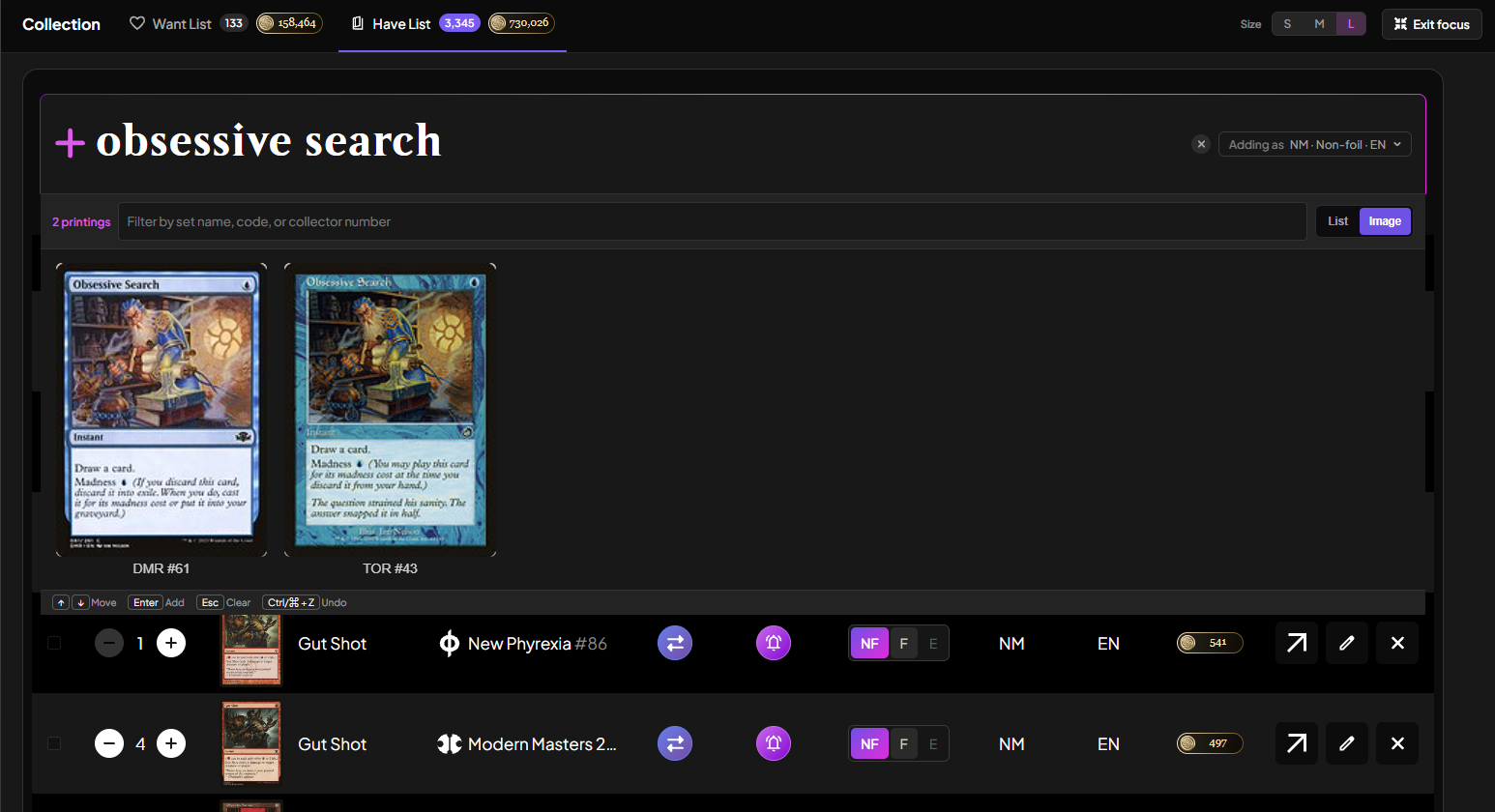
One detail we enjoyed building: at M and L, the search bar switches to Beleren, the typeface Magic prints card names in. Type "obsessive search" at L and it looks like you're typing on a card. Focus Mode opens at M the first time, and whatever size you settle on is remembered too.
It stacks with Fast Entry
Everything from Fast Entry works inside Focus Mode: lock a set, add by collector number, run the whole loop from the keyboard, and undo with Ctrl + Z. Image mode benefits most, since its card grid scales with the size control, and the results list fills the screen you just cleared. Escape still clears the search rather than kicking you out of focus, so fumbling a card name doesn't cost you your setup.
💡Pro Tip: press F11 and let the browser go full screen to get even more space.
Between Fast Entry and Focus Mode, we think getting a stack of cards into a trade list is now faster here than anywhere else in the Magic ecosystem. If you find something that would make it faster still, tell us by clicking Feedback; both of these features started from there.
Happy Trading 🎴
Keep reading
- Sustainable Economics Pt. 3: Year One
TradeMagic just turned one! Here's the year in four charts & where the economy stands - What's New: Focus Mode, Trade Offer Revisions, and Sidebar Mode on /sendcards
Focus - How It Works: The New Inbox
Every trade now has its own thread, the trade's details sit beside the conversation, and getting an admin involved is a guided flow instead of a button and a prayer.
Stay Connected
Follow TradeMagic for updates, tips, and community highlights:
Questions or feedback? We'd love to hear from you!