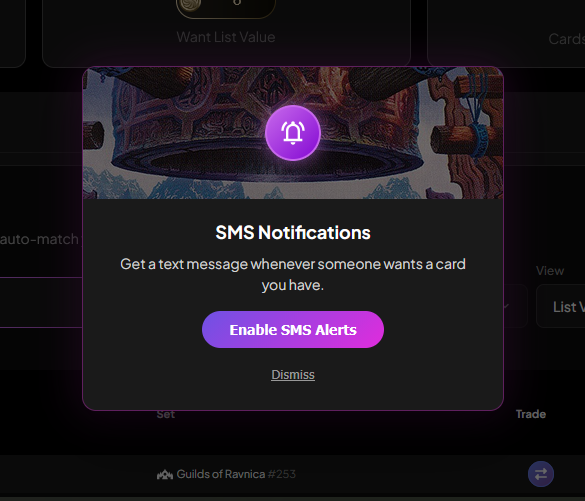
We're excited to announce SMS trade alerts, a feature that fundamentally changes how you discover trading opportunities on TradeMagic. Starting today, you can receive a text message the instant someone adds a card you own to their Want List and has enough points to complete the trade.
How it works
The setup is straightforward. On your Have List, you'll see a new bell icon next to each card. Tap the bell to enable alerts for that specific card. When another trader adds that card to their Want List and can afford it, you'll receive a text message with a direct link to send the cards. The entire flow takes about 30 seconds from the moment they add the card to your phone buzzing with the opportunity.
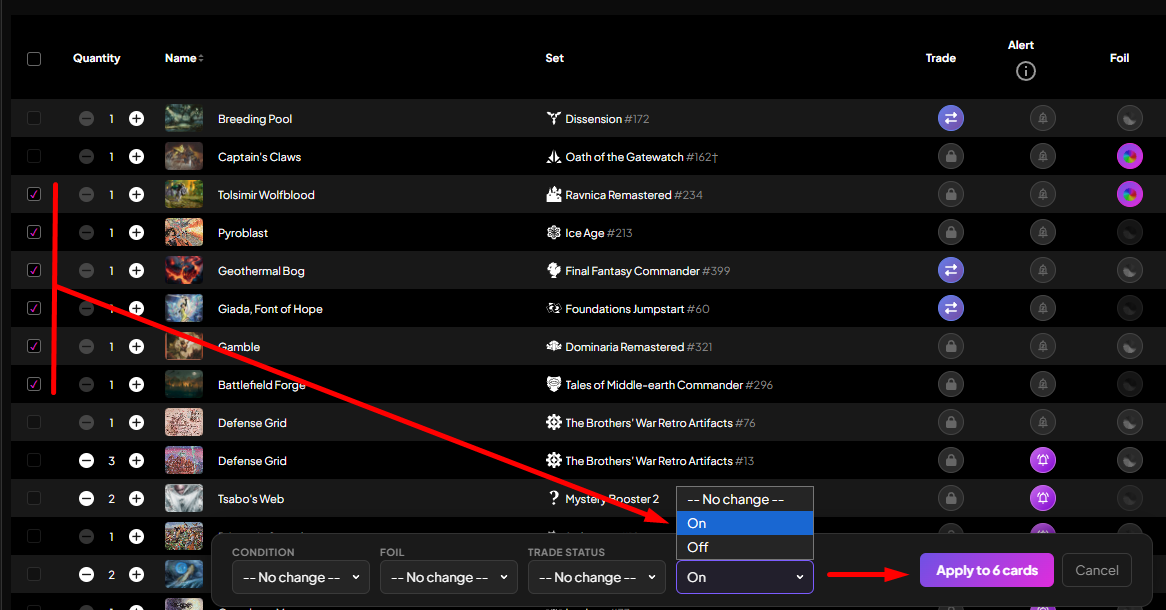
You can also enable alerts in bulk using the multi-select action bar, or set a default in Settings so every new card you add to your Have List automatically has alerts turned on. The system is designed to be flexible enough that you can monitor your high-value cards closely while ignoring bulk commons that don't justify the alert.
Why this matters
Trading on TradeMagic moves fast. Cards get claimed within minutes of being posted, and the traders who respond first tend to complete more trades. Before today, you had to manually refresh the Send Cards page to discover new opportunities, which meant you were always playing catch-up. SMS alerts flip that dynamic. Now you're notified in real time, giving you the first shot at sending the cards people actually want.
Regional pricing and monthly limits
SMS isn't free to send, and international messages cost significantly more than domestic ones. To keep this feature sustainable while making it accessible to everyone, we've structured monthly alert limits based on region and account tier.
For traders in the US and Canada: free accounts receive 5 alerts per month, and Elite accounts receive 100 per month.
For international traders: free accounts receive 3 alerts per month, and Elite accounts receive 25 per month.
The regional difference reflects real infrastructure costs. International SMS can cost platforms 3-10x what US messages cost, so the caps are calibrated to keep the feature viable long-term while still giving everyone meaningful access. Your monthly limit resets on the first of each month, and you can track your usage in Settings.
Elite upgrade path
If you're a high-volume trader with a large Have List, the free-tier cap might feel restrictive pretty quickly. Elite membership increases your monthly limit to 100 alerts for US traders or 25 alerts for international traders, which should cover even the most active trading patterns. Elite also removes all transaction fees, so you're already saving points on every trade. The SMS quota increase is just one more reason the subscription pays for itself if you're trading regularly.
Phone verification required
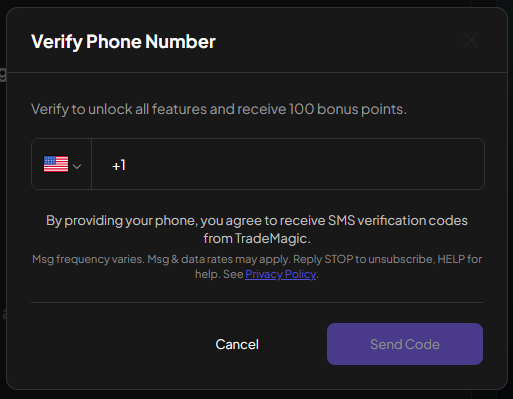
To receive alerts, you'll need to verify your phone number in Settings. This is the same verification process used for two-factor authentication, and the same number can handle both 2FA codes and trade alerts. If you try to enable alerts without a verified number, the system will prompt you to complete verification first. You can disable alerts at any time by replying STOP to any message, or by toggling the bells off in your Have List.
A few important limitations
Alerts fire when someone adds your card to their Want List, not every time they visit your profile. The system checks whether they can afford the card at the moment they add it, but they could spend those points before actually completing the trade. Once you hit your monthly cap, alerts pause until the next month. We're being upfront about these constraints so you know exactly what to expect.
Getting started
Head to your Have List, find your most-wanted card, and tap the bell. That's it. The next time someone wants that card and can afford it, your phone will buzz with the opportunity. You can enable alerts on as many cards as you want, and the system will respect your monthly limit by prioritizing the cards you've explicitly chosen to monitor.
This feature has been in development for the past few months, and we're grateful to everyone who provided feedback during testing. SMS alerts represent a meaningful step forward in how TradeMagic connects traders in real time, and we're excited to see how it changes your trading experience.
Keep reading
- A Rebuilt Landing Page, Rarity Filters & Play Decklists
The logged-out landing page gets live data and interactive demos, every card list gains a rarity filter, and TradeMagic Play adds decklists, Safe to Draw, and tools built for big events. - Sustainable Economics Pt. 3: Year One
TradeMagic just turned one! Here's the year in four charts & where the economy stands - How It Works: Collection Focus Mode
One click collapses everything on My Cards except the search and your list, then makes the cards big.