The homepage now opens on a live map of every package moving between traders, and trade maps have come to Sending, Receiving, and every profile. Each tab on Sending and Receiving gets its own data panel, SMS alert caps are three times higher in the US and Canada, and many other bug fixes and improvements.
🌟 Major Features
Live Homepage
Live Trade Map - The homepage opens on a map of TradeMagic right now: solid green arcs for packages delivered in the last 24 hours and dashed purple arcs for packages still in the mail. Your city is marked. If you've traded in the last 30 days, your own routes are highlighted in pink on top of the community's. Locations are state or country level only, and no usernames appear on the map.
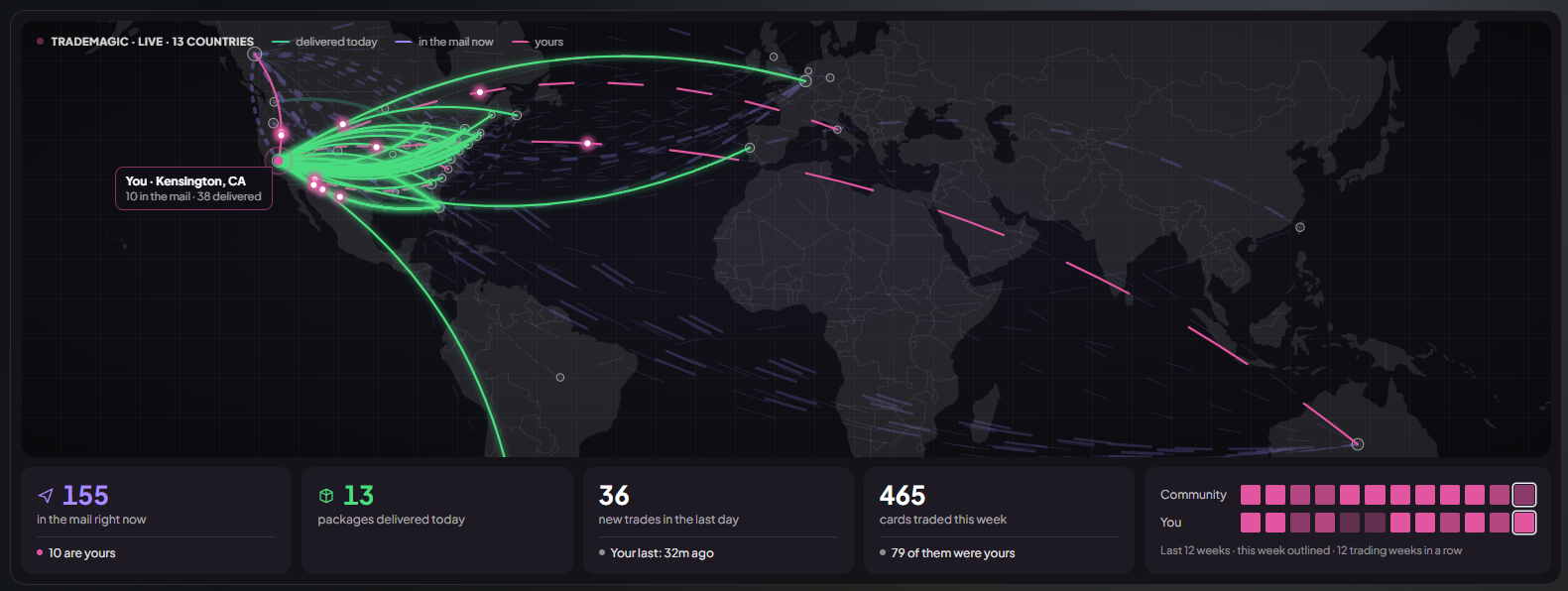
Live Pulse - Four tiles under the map show packages in the mail right now, packages delivered today, trades in the last hour, and cards traded this week. When some of those are yours, the tile adds a second line saying how many.
Activity Heat Strip - A 12-week strip puts your weekly activity next to the community's. Purple weeks are mostly list-building and browsing, pink weeks are mostly trading (offers, sends, and completed trades). Hover or tap a week to see exactly what counted.
Setup Card - The old onboarding checklist is now one card that features a single task at a time and shows how many of your 1,600 bonus points are still waiting. Verifying your mobile number unlocks the other nine tasks, and you can do those in any order by tapping any of them. Mobile verification now credits its 100 points automatically, and Claim all collects every finished reward in one click. Until your phone is verified, the card shows only that step, with a button that opens verification right on the page. If only the social follows are left, you can hide the card and bring it back any time from Finish setup in your profile menu.

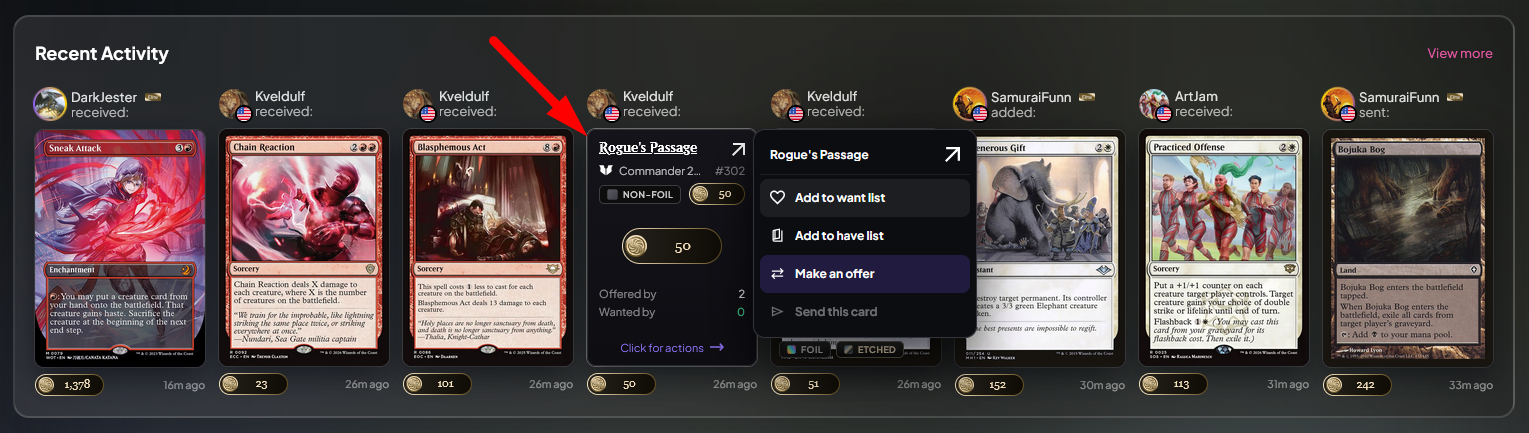
Recent Activity - Cards in Recent Activity now use the same tile as search. Hover for the set, finish, points, and how many traders offer or want it, and click for the actions menu. The want-list prompts that used to sit in the feed are gone.
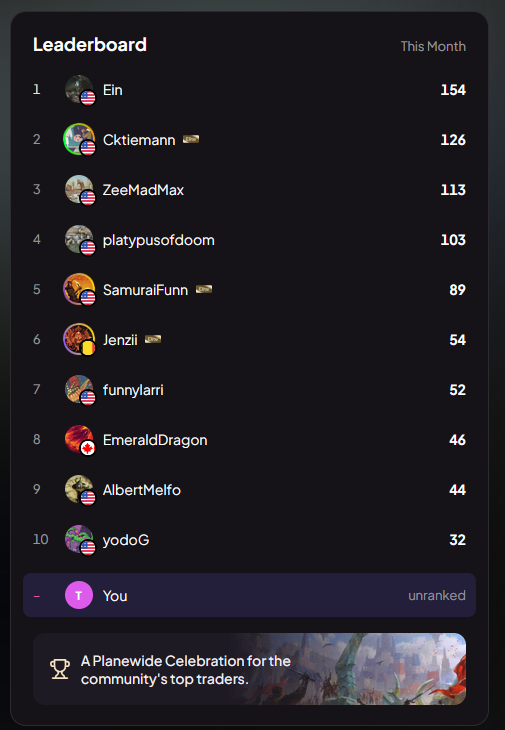
Leaderboard - Home shows this month's top 10 traders by cards sent, with your own row highlighted if you're on it.
Sending & Receiving Data Panels
A Panel for Each Tab - The stats block at the top of Sending and Receiving showed the same totals no matter which tab you were on. Each tab now has its own panel. Preparing to ship and In Transit show a map of your active packages beside a row per package, with a bar for the 72-hour shipping window while a package is being prepared and a bar toward its estimated delivery once it's in the mail. Cancelled shows every package as a tile, with cancellations greyed out. Thanks to ZeeMadMax for the report that started this.

Counts and Points on the Tabs - Every tab shows a count badge and the points it holds. Collapse the panel and those figures stay on the tabs. The page remembers your choice, and on phones the panel starts collapsed so your first trade is above the fold.
Completed Tab Partner Map - The Completed tab maps everyone you've traded with, one dot per partner, with bigger dots for the partners you trade with most. Most traded with lists your top 8, and See all opens a sortable table of every partner with trade count, median delivery time, and points exchanged. Every row links to that trader's profile.
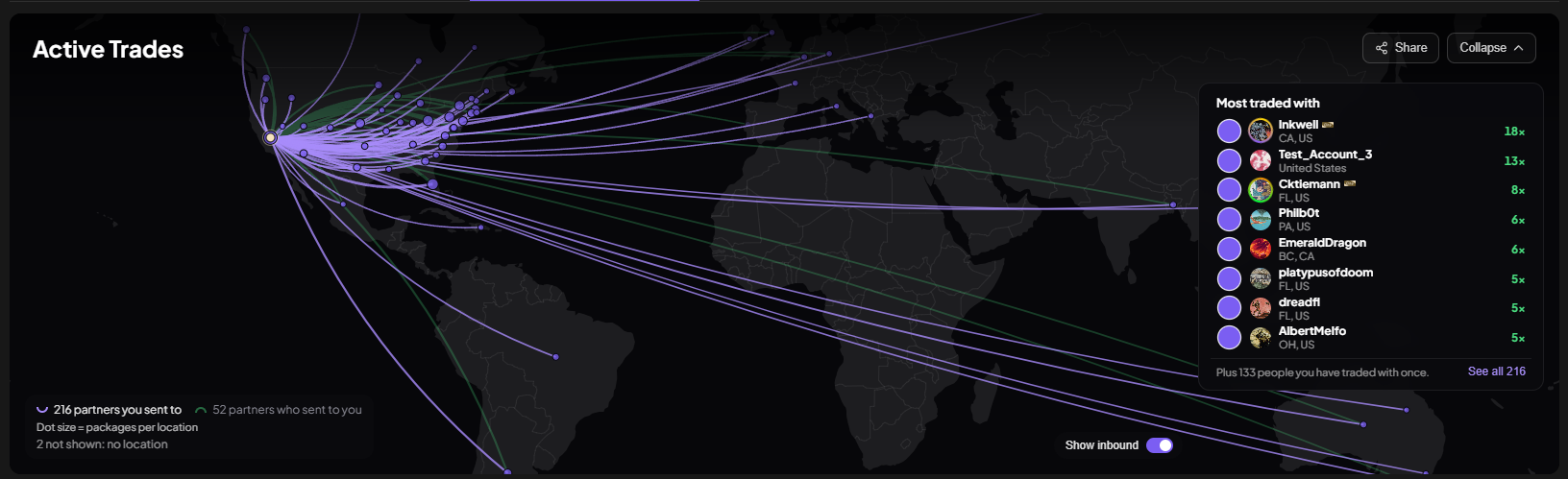
Maps Zoom to Your Trades - The map frames your own packages and partners instead of the whole world, so a route between neighboring states is actually visible. A toggle shows the other tabs' trades dimmed behind the current one, and packages in transit animate toward the recipient.
Trade Maps on Profiles
Trade History Map - The Trade History tab on every profile now opens with a map: packages received in green, packages sent in purple, and anything in the mail animating toward its destination. Four tiles underneath show packages received, packages sent, trade partners, and countries. The All, Sent, and Received chips filter the map along with the cards. Hover a location for its counts. Locations are state and country only, with no partner usernames, and profiles with no trades don't show a map.
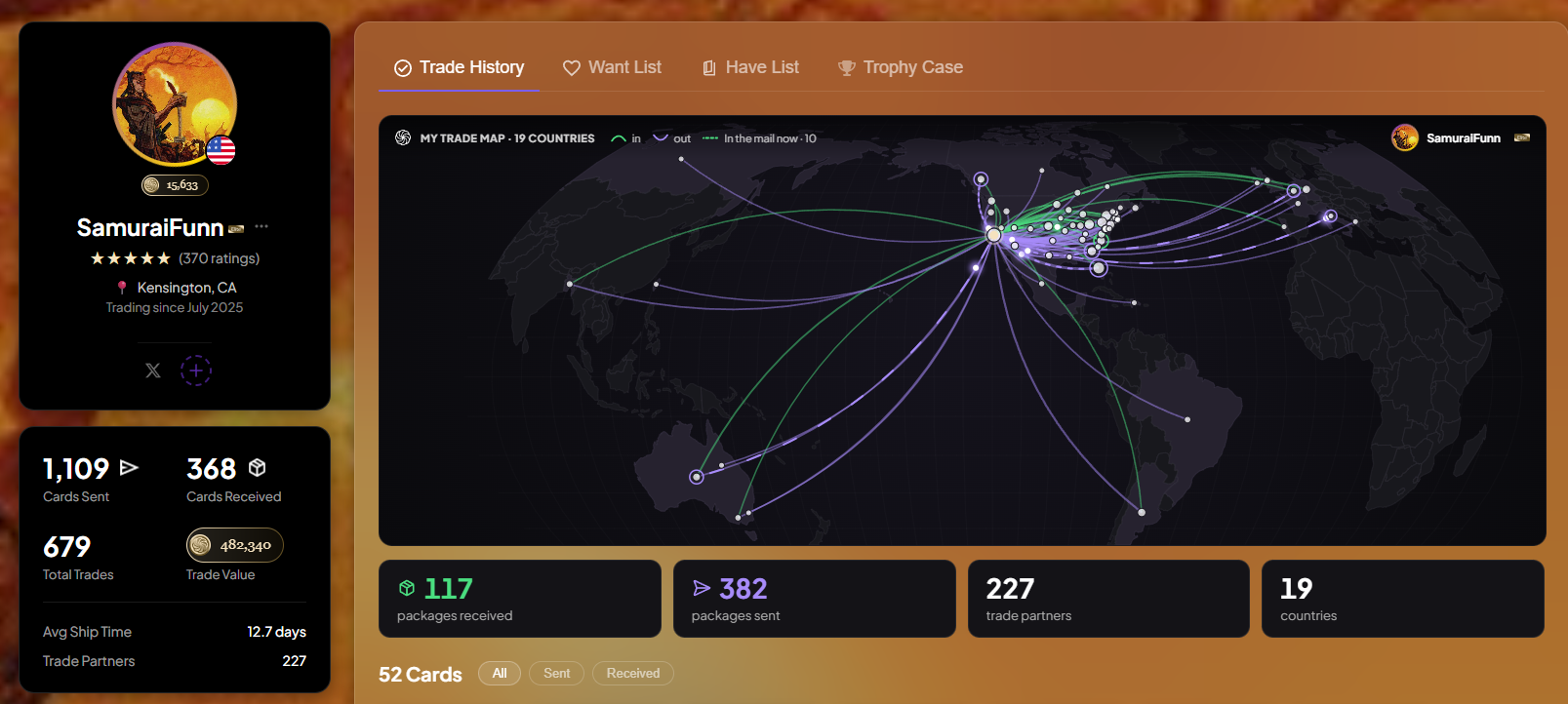
Readable Maps for Busy Traders - Traders with many partners get one dot per location sized by package count, so dots no longer get pushed away from where they belong.
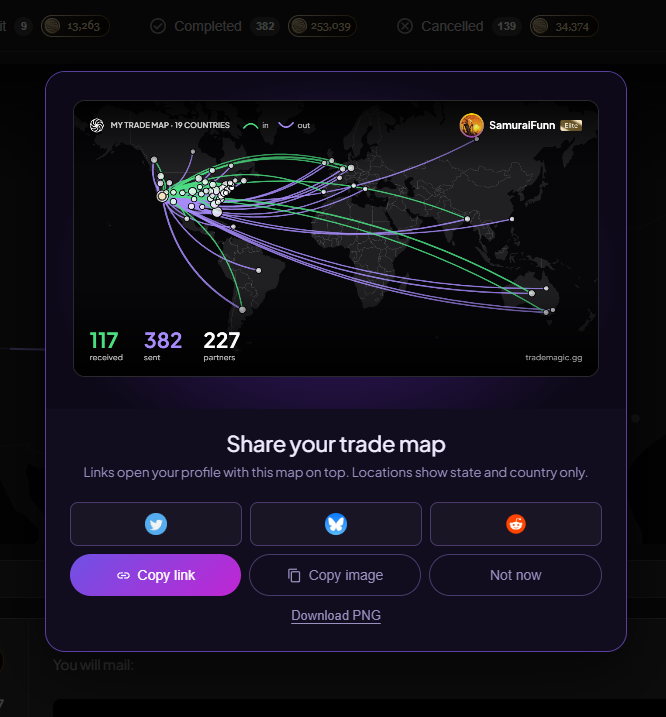
Share Your Map - Share on your Sending or Receiving panel creates an image of your trade map for X, Bluesky, Reddit, a copied link, or a copied image. Shared links open your profile's Trade History tab with the map on top, and when posted on X, Bluesky, Reddit, or Discord the link unfurls as your map with your sent, received, and country counts in the title. Elite members' share images carry their Elite ring and badge.
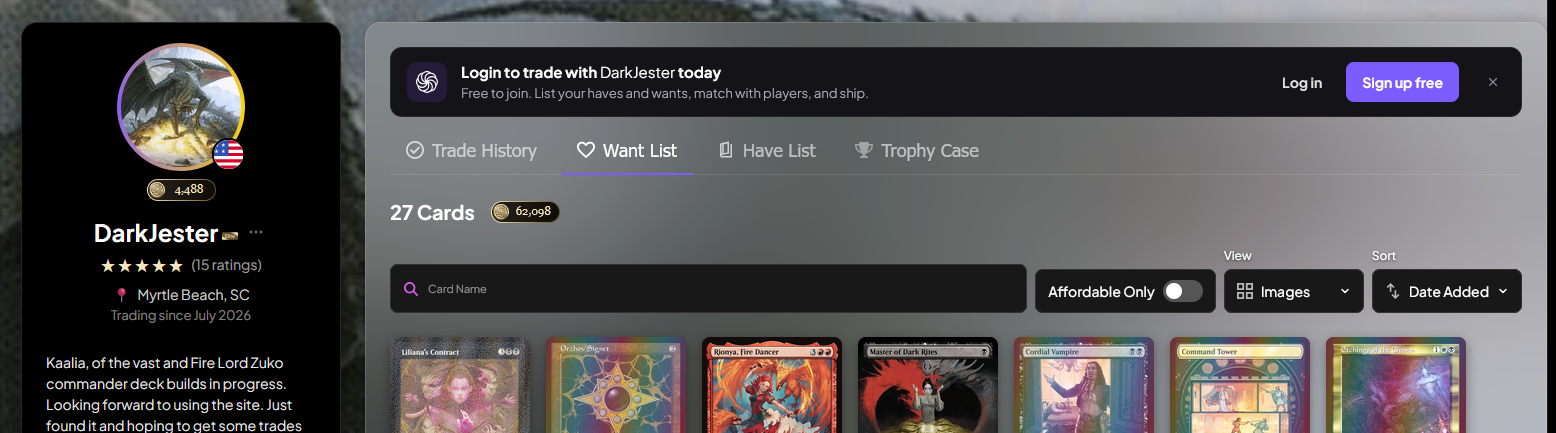
Visitor Banner - Signed-out visitors to a profile see a banner inside the Trade History card with Log in and Sign up free buttons. Both bring them back to that profile afterward, and the banner can be dismissed.
Activity Page Refresh
One Place to Filter - On the Activity Feed (linked form the home page Recent Activity container), the header now controls how the feed looks (event type, By card or By trader, S/M/L card size, and hiding the filters), and the filter rail controls what's in it. Trader balance moved into the rail under Point value and shows as a removable token like every other filter. Pause moved next to the LIVE indicator, which reads PAUSED while the feed is paused. Each event pill has a tooltip explaining what it shows.
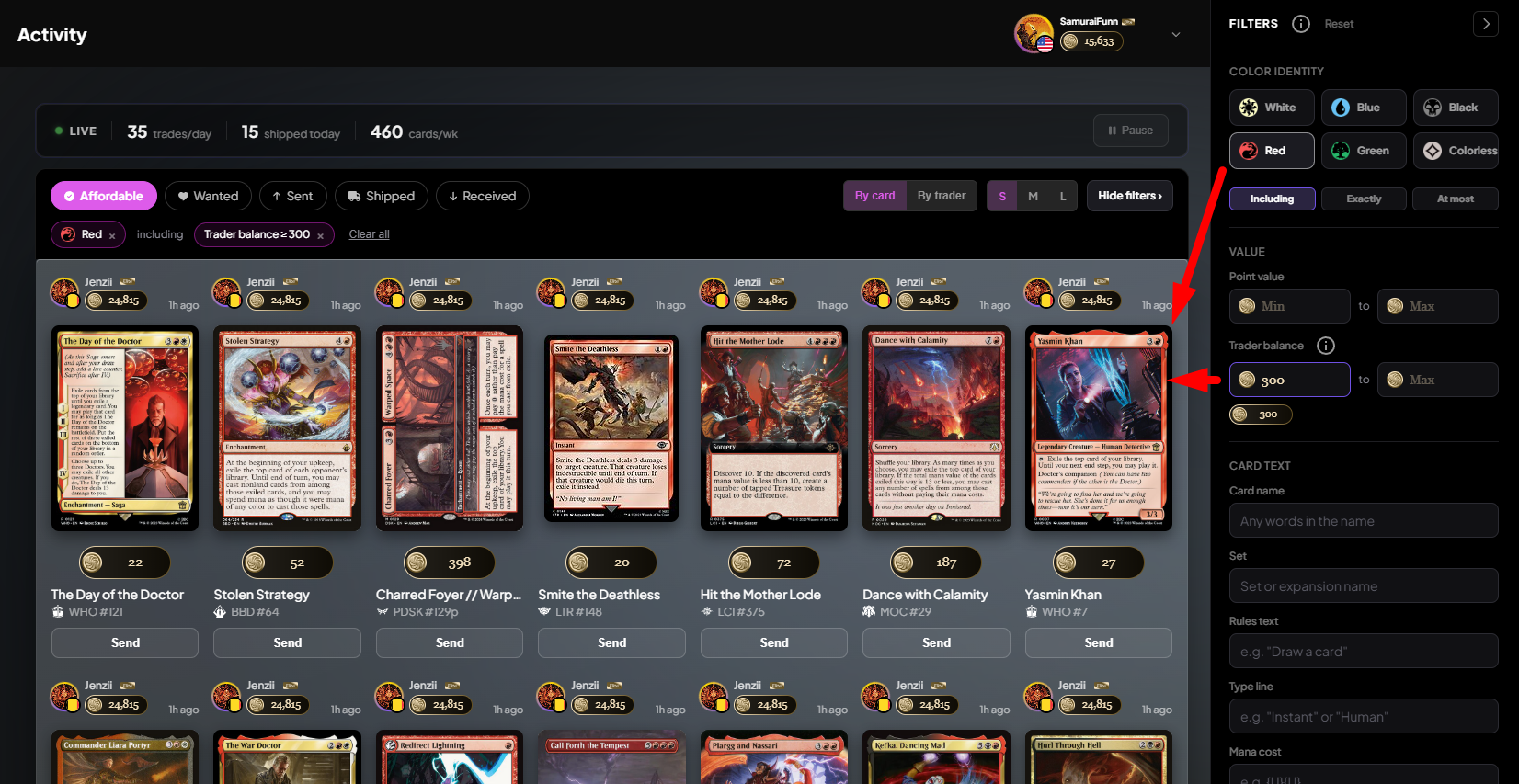
One Results Panel - Both groupings sit inside a single results panel with card art directly on it, and By trader tiles now match By card tiles: big point value, card name, set, and a full-width Send button.
SMS Alerts
Higher Monthly Caps - Free accounts now get 15 alerts a month in the US and Canada (was 5) and 5 internationally (was 3). Elite members get 300 in the US and Canada (was 100) and 50 internationally (was 25). If you'd already hit the old cap this month, alerts resumed as soon as this shipped.
Verify Your Phone in Place - If your phone isn't verified, a banner lets you verify it on the spot, and the SMS alerts setup verifies your number without sending you to another page.
🐛 Bug Fixes
Trading & Pricing
One Price Per Card, Everywhere - A non-English card with no price of its own could show one value on a profile and a very different one in the trade sidebar. One Japanese Tendrils of Agony showed 152 points on a want list and 110,471 once added to a trade, because each page borrowed a price from a different English printing. Profile lists, the trade sidebar, Send Cards, trade offers, and the amount you're charged now follow one rule: the card's own price, otherwise the English printing with the same set and collector number, otherwise no price. A trade containing a card with no price is refused rather than sent at a made-up value.
Receiver Disappearing From Send Cards - Leaving the send window without sending could keep the receiver locked, which hid them from Send Cards until the lock expired. Closing the window any way now releases it, and Escape closes it.
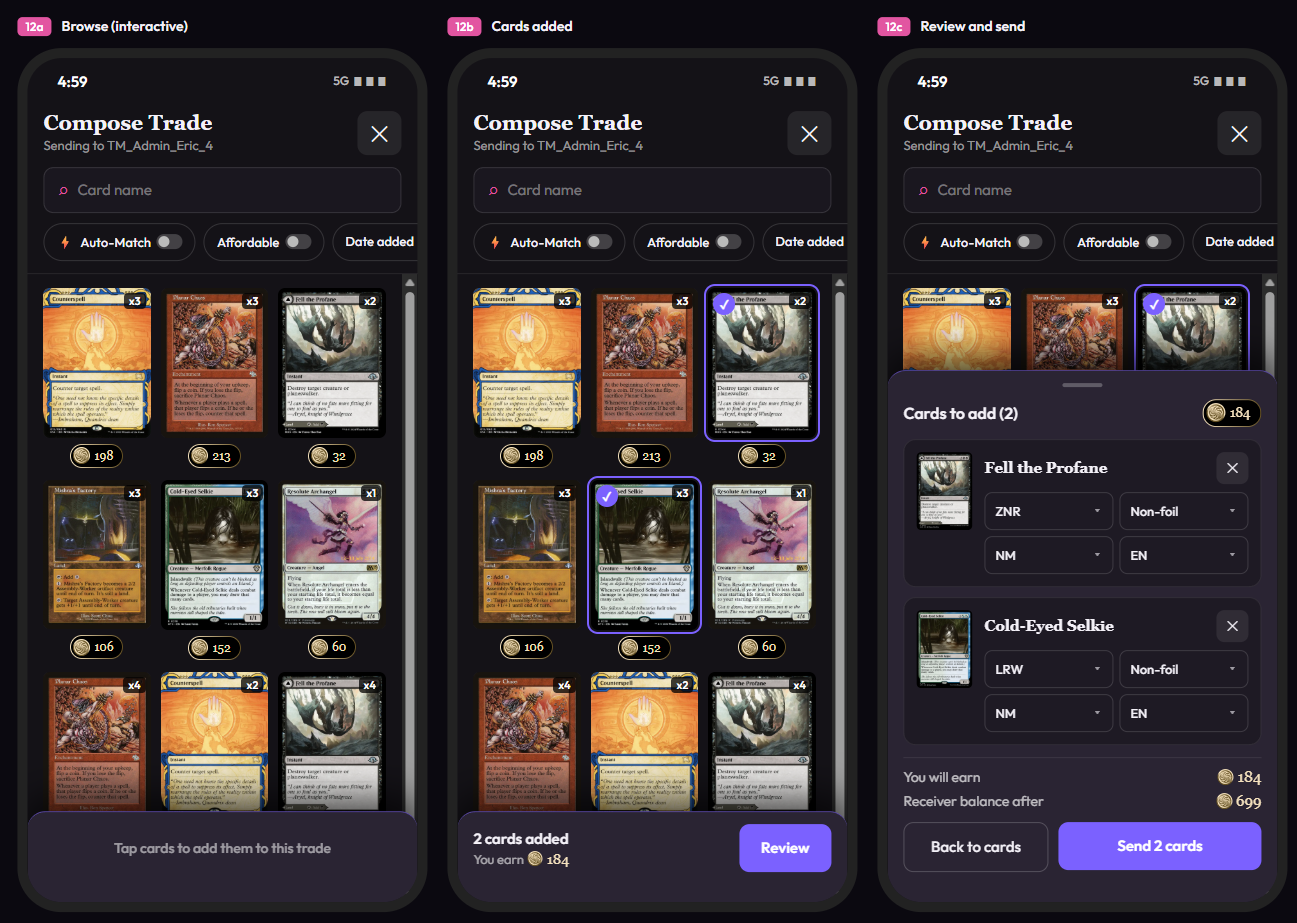
Compose Trade on Phones - On a phone, Add to trade from the Activity Feed opened a dimmed Compose Trade window where nothing could be tapped, including the close button. It's now a full-screen sheet: pick cards, tap Review in the tray at the bottom, adjust printing, finish, condition, and language, then send. The fix covers every place Compose Trade opens, and the same tapping problem is fixed on the Add Cards window on Send Cards. Receiver balance after now shows as points with the coin icon.
Lists & Cards
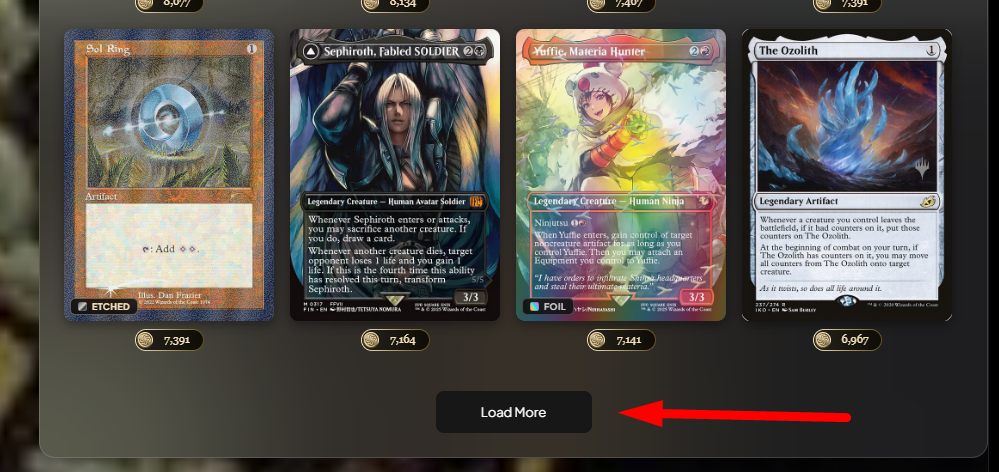
Mobile Lists Stopped at 48 Cards - On phones, want and have lists on profiles stopped at 48 cards with no way to load more. The rest of the list now loads.
Card Imports After a Dropped Connection - If your connection dropped during a card import, the importer didn't pick up the finished result when you reconnected. It does now.
Site
Sign-In Keeps Your Original Link - Opening a link while signed out and then visiting another page before signing in sent you to the last page you visited. You now land on the link you first opened.
Activity Feed on Phones - The event pills ran off the screen with Shipped unreachable, the S/M/L toggle was cut off, the left and right margins didn't match, and the Pause button covered a stat. All fixed.
Clipped Avatars - Round avatars on the trade pages and a few other spots had their edges cut off.
✨ Polish
Magnifying Glass Opens Filters - On your Have List and Want List, the magnifying glass now opens the Filters drawer with your cursor in Card name. The separate inline search bar is gone, so there's one card name search instead of two.
Send This Card Needs a Wanter - In the card actions menu, Send this card is greyed out when nobody wants that printing, the same way Make an offer is greyed out when nobody offers it. This applies on search, Home, and everywhere else the menu appears.
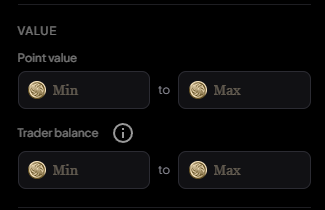
Point Inputs - Point value and Trader balance fields in the filter rail show the coin icon and gold numbers, and the Value section moved up to third in the rail on every page that has it.
Trade History Card Icons - Cards in a profile's Trade History grid show a green package or purple send icon next to their points instead of a RECEIVED or SENT label over the art.
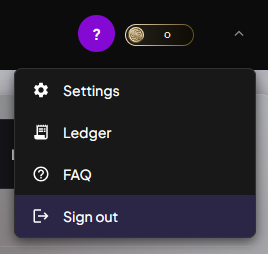
Account Menu - Every row in the account menu has an icon, and Logout now reads Sign out.
Articles Page - The Articles page shows 24 articles per page, search covers titles, subtitles, and full text, and the tab, page, and search are kept in the URL so you can refresh or share a link.
Finish Links From Partners - Card page links can open on a specific finish, so a foil price link from TopDecked lands on the foil price.
Homepage on Phones - On phones, the homepage map draws community routes once and animates only your own, so the page scrolls normally.
Site Copy Corrections - The FAQ, economics page, and footer were updated so fee figures, the pricing source, how points enter and leave the economy, and escrow descriptions match how the site works. The company name in the footer, Terms of Service, Privacy Policy, and Affiliate Terms is now TradeMagic, Inc.
🔧 Chores
Card Finish Data Complete - Finish and promo treatment data has been filled in for the remainder of the card catalog.
Guides in Search Results - Four guides (How It Works, Shipping, Sustainable Economics, and Condition Guide) returned not found to search engines, and some article titles showed TradeMagic twice in search results. Both fixed.
Signup and Verification Protections - Verification codes are sent only to supported countries, with limits on repeated requests and a clear message when a code can't be sent. New accounts can no longer be created from anonymizing proxies.
Keep reading
- Sustainable Economics Pt. 3: Year One
TradeMagic just turned one! Here's the year in four charts & where the economy stands - How It Works: Collection Focus Mode
One click collapses everything on My Cards except the search and your list, then makes the cards big. - What's New: Focus Mode, Trade Offer Revisions, and Sidebar Mode on /sendcards
Focus
Stay Connected
Follow TradeMagic for updates, tips, and community highlights:
Questions or feedback? We'd love to hear from you!