We're thrilled to announce two major features that have been at the top of your request list: Public User Profiles and Star Ratings. These features bring a new level of transparency and trust to the TradeMagic community, making it easier than ever to trade with confidence.
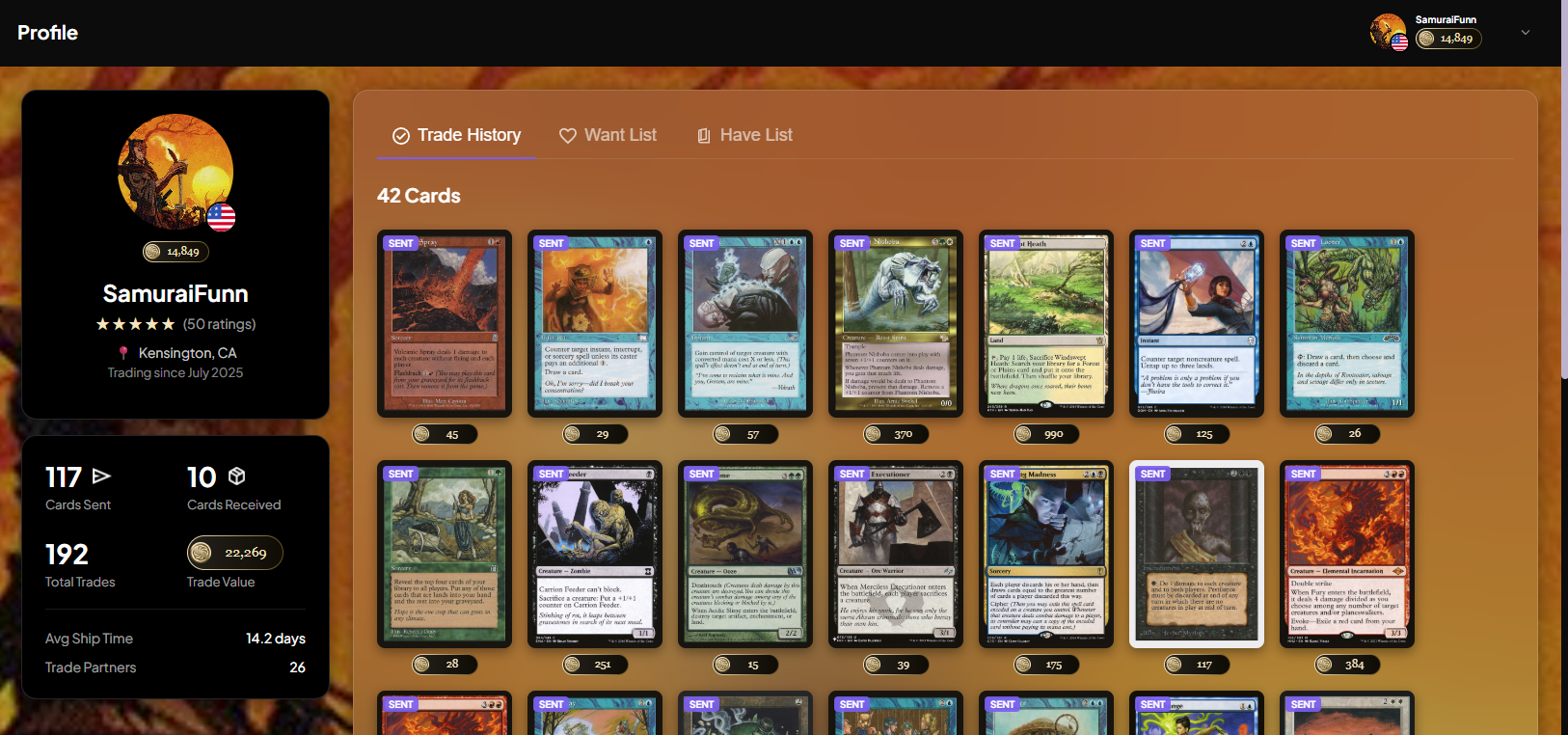
Public User Profiles
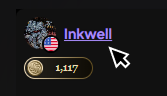
Every TradeMagic user now has a public profile page that showcases their trading history and reputation. Click any username anywhere on the site—in the activity feed, on trade cards, in search results—and you'll be taken to their profile.
What You'll See on Profiles
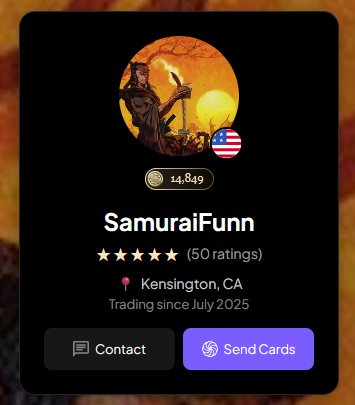
The Profile Card displays essential info at a glance:
Avatar – With country flag
Username and Star Rating – Their overall reputation from completed trades
Location – City and state/country
Member Since – How long they've been trading
Bio – A personal message from the trader (if they've added one from settings)
The Stats Card shows their trading track record:
Cards Sent and Cards Received – Total volume
Total Trades – Number of completed exchanges
Trade Value – Lifetime points earned
Average Ship Time – How quickly they typically ship
Trade Partners – Number of unique people they've traded with
Three Content Tabs let you explore their activity:
Trade History – See their recently sent and received cards with timestamps
Want List – Browse what they're looking for (always visible)
Have List – See what they have available (if they've enabled this)
Finding Profiles
Getting to someone's profile is easy—just click their username! You'll find clickable usernames:
In the Activity Feed on the homepage
On trade cards in Sending and Receiving
In the SendCards search results
In your messages and notifications
In your profile dropdown menu (top right)
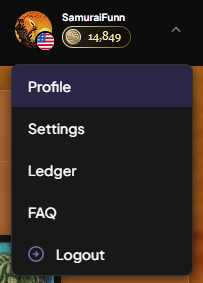
You can also navigate directly by visiting trademagic.gg/profile/u/username.
Star Rating System
Build your reputation and help the community identify reliable traders with our new star rating system.
How Ratings Work
After completing a trade, you can rate your trading partner across three categories:
Speed ⭐⭐⭐⭐⭐ – How quickly did they ship?
Accuracy ⭐⭐⭐⭐⭐ – Did the cards match the listing (condition, edition, etc.)?
Communication ⭐⭐⭐⭐⭐ – Were they responsive and helpful?
Each category uses a 1-5 star scale. Your overall rating displayed on your profile is the average across all your completed trades.
When to Rate
Ratings become available after you complete a trade on the Receiving page. When you click "Complete Trade," we automatically give your trading partner a 5-star rating across all categories—because most trades go smoothly and we want to celebrate that.
Want to adjust a rating? No problem. After completing a trade, simply click the stars in any category to change your rating. Your changes save automatically.
A Note About Existing Trades
To recognize our amazing founding community members, all existing completed trades have been backfilled with 5-star ratings. You've helped build TradeMagic from the ground up, and your reputations reflect that.
Privacy Controls
We believe you should control what others see on your profile. Head to Settings → Profile to find two new privacy toggles:
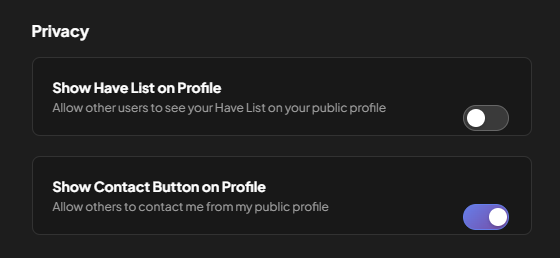
Show Have List on Profile
Default: Off
When enabled, visitors to your profile can see your Have List tab and browse cards you have available. When disabled, only you can see your Have List on your profile. It's disabled by default, since Have Lists are mostly designed to enable Auto-Matching on TradeMagic.
Show Contact Button on Profile
Default: Off
When enabled, a "Contact" button appears on your profile, allowing anyone to send you a message directly.
When disabled, the contact button is hidden. Users can still reach you through the normal trade flow and messaging system—this just removes the quick-access button from your profile page.
Customizing Your Avatar
Your avatar is automatically set to the art from the first card in your Want List. Want to change it? It's easy:
Search for any card on TradeMagic (type from anywhere to quick search)
Open the card detail page
Click the "Set Avatar" button
Done!
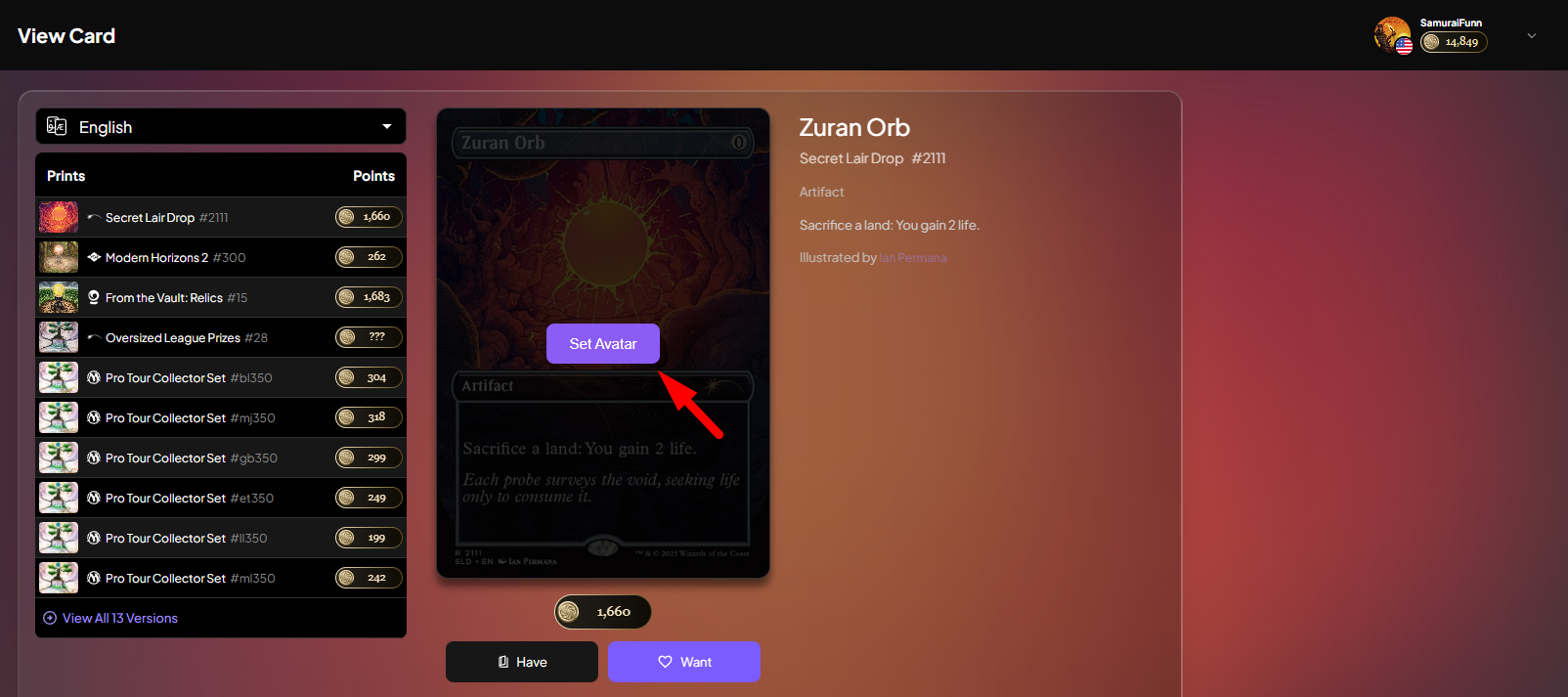
Note: After setting a new avatar, you may need to hard refresh your profile page (Ctrl+Shift+R on Windows, Cmd+Shift+R on Mac) to see the new background image take effect due to browser caching.
Pro Tips for Your Profile
Make a great first impression:
Add a bio in Settings → Profile. Tell people what formats you play, what you collect, or just say hello!
Your avatar becomes the background of your profile card—choose a card with art you love
Keep your shipping address accurate—your city/state appears on your profile
Build your reputation:
Ship promptly—your average ship time is public!
Package cards carefully—accuracy ratings reflect condition disputes
Respond to messages—communication matters
What's Next
This is just the beginning for profiles. We're planning to add:
Profile customization options
Achievement badges
More detailed trade analytics
And more based on your feedback!
Have ideas for what you'd like to see? Click the Feedback link in the sidebar or email us at support@trademagic.gg.
Happy Trading!
The TradeMagic Team
Create a free account • Follow us: Twitter • Bluesky • Reddit • More articles
Keep reading
- A Rebuilt Landing Page, Rarity Filters & Play Decklists
The logged-out landing page gets live data and interactive demos, every card list gains a rarity filter, and TradeMagic Play adds decklists, Safe to Draw, and tools built for big events. - Sustainable Economics Pt. 3: Year One
TradeMagic just turned one! Here's the year in four charts & where the economy stands - How It Works: Collection Focus Mode
One click collapses everything on My Cards except the search and your list, then makes the cards big.