The TradeMagic landing page is rebuilt from the ground up with live platform numbers and demos you can actually play with, every card list on the site gains a rarity filter, and TradeMagic Play gets its biggest update yet: full decklist support from entry to publication, exact "safe to draw" math in the final Swiss round, and a reliability pass built for running big events on bad venue wifi.
🌟 Major Features
A Rebuilt Landing Page
A first look you can play with - The logged-out TradeMagic page is no longer a login form with marketing under it. The new page opens with "Mail the cards you don't need. Get back the ones you do.", a live activity ticker, and real recent traders, then walks through an Auto-Match demo that flips on as you scroll, a three-step explainer with a 30-second spot, and the 100% Trade Guarantee.
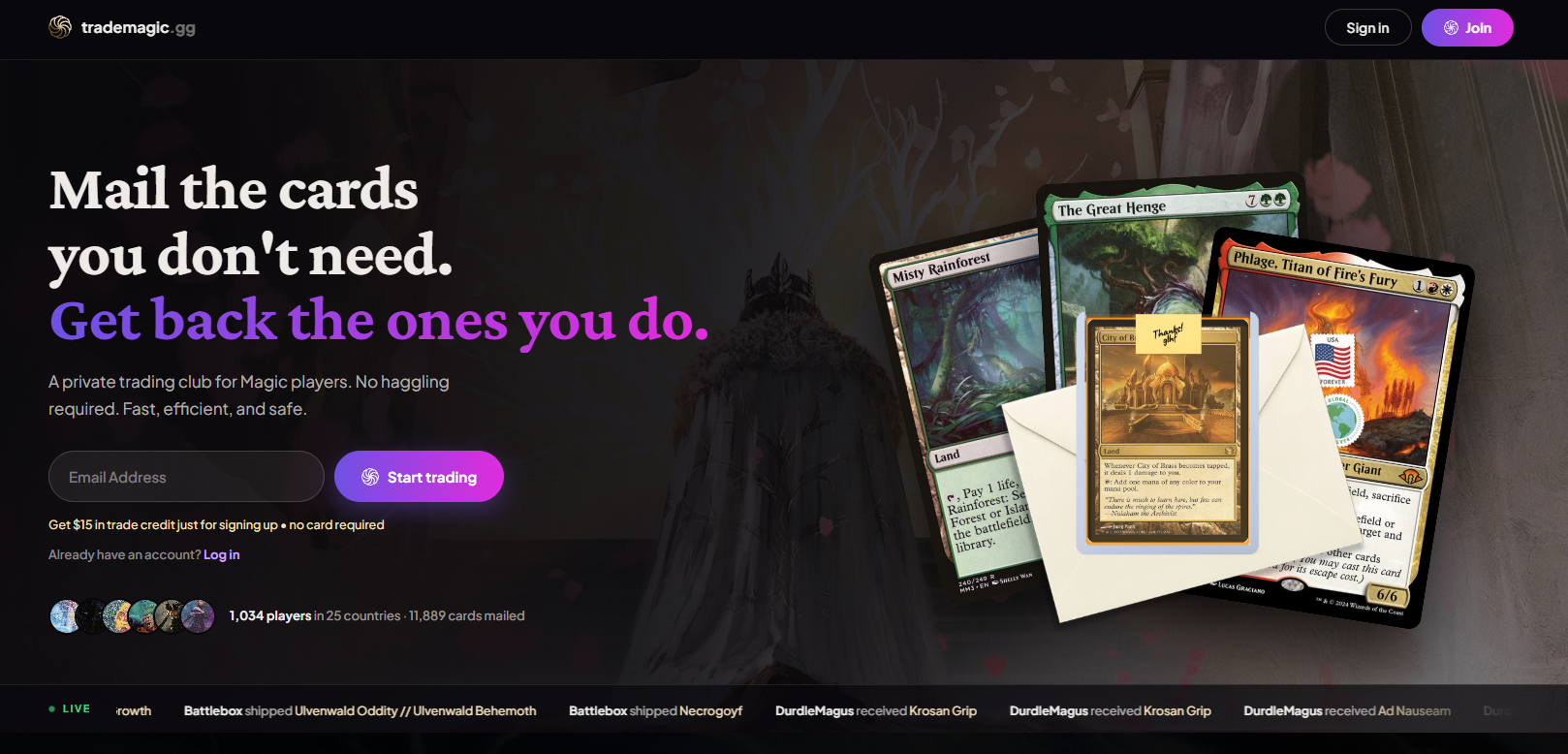
Build a want list before you have an account - The new want-list builder searches the entire card database. Visitors can add real cards, watch the points total climb, and save the list; after sign-up, those picks land on the new account's Want List automatically. Import buttons work the same way, dropping new members straight into the importer with their platform preselected.
Real numbers, not claims - Most stats on the page are live: members, countries, cards mailed, this week's most wanted and top sent cards. If you've opted out of the public activity feed, you won't appear on the landing page either.
One continuous sign-up - Sign in and Join now open a full-screen overlay that matches the onboarding screens exactly, art and all, so joining feels like one flow instead of three. Along the way we fixed a real bug: on phones 421 to 636 pixels wide, the address step's form fields were cut off on both sides with no way to reach them.
Rarity Filter on Every Card List
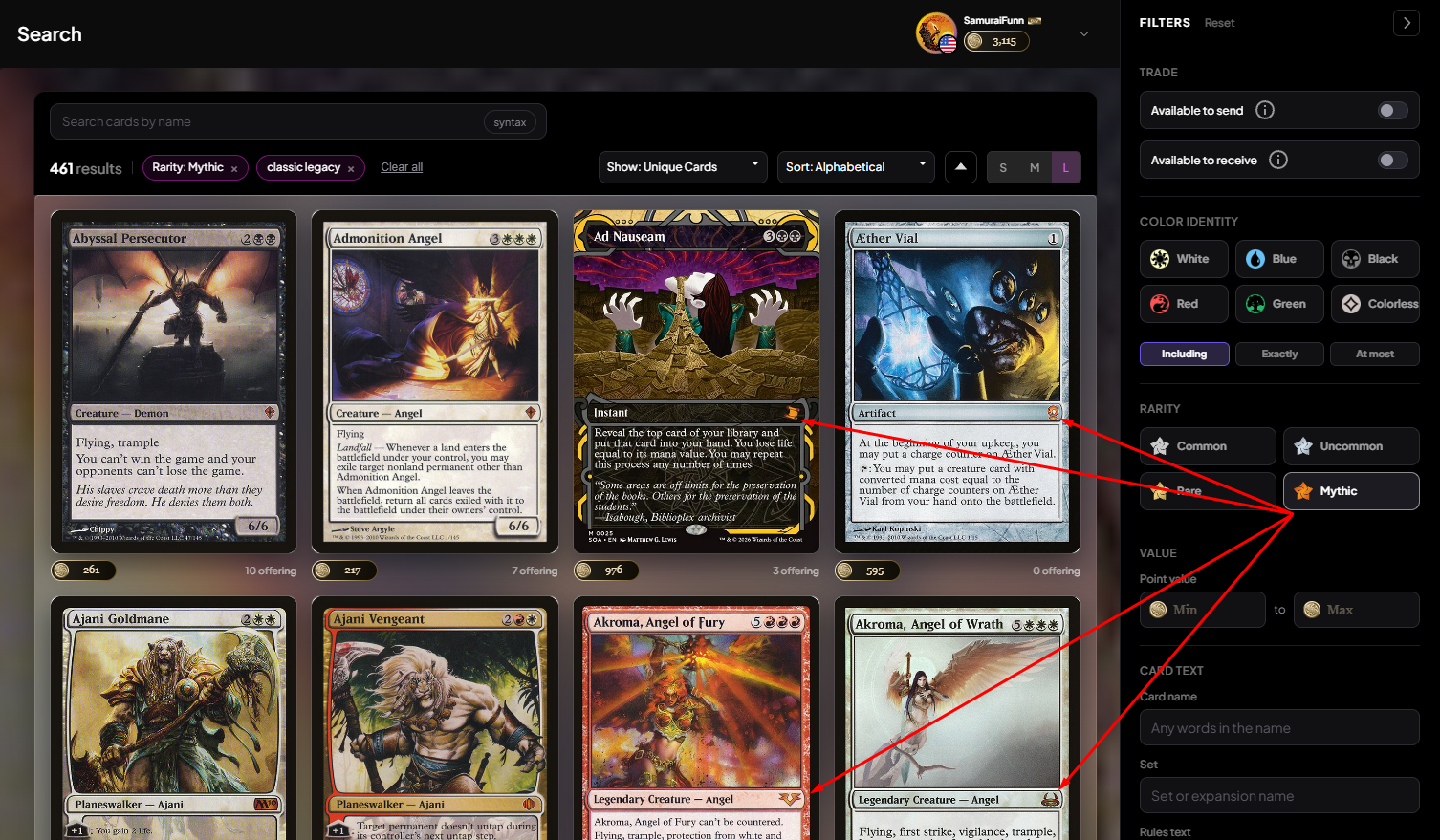
Common, Uncommon, Rare, Mythic - The filter sidebar gains a RARITY section with four multi-select tiles, available everywhere the sidebar appears: Search, your Have List and Want List, profile lists and trade history, the Activity Feed, and the offer builder. Selections combine with every other filter, run server-side with correct totals, and live in the URL so a filtered view can be shared. This one came from user feedback.
TradeMagic Play: Decklists
Three ways to enter a deck - Events that require decklists now take them however you have them: paste a list, upload a .txt or MTGO .dek file, or build card by card with autocomplete. Build mode shows card art on every row, puts exact name matches first (searching "mountain" finds Mountain), supports full keyboard entry, and is just a view over the same text as Paste, so switching tabs never loses work.
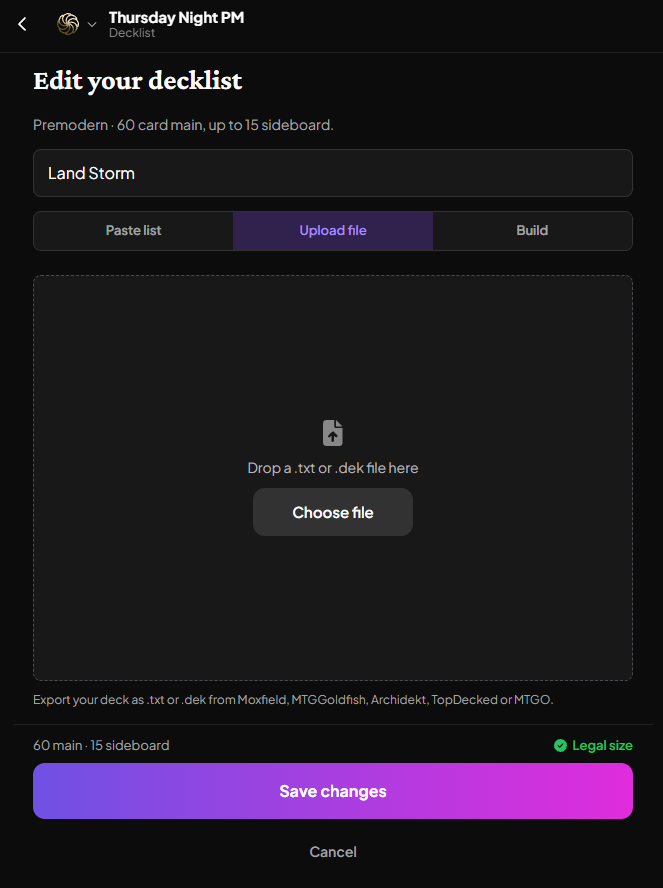
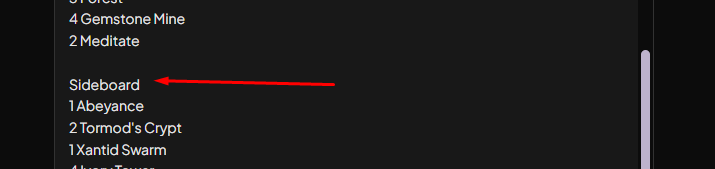
A parser that understands how lists are actually written - A blank line before your sideboard now works, no "Sideboard" header needed, so a standard Moxfield export pastes clean at "60 main · 15 sideboard". Split and double-faced cards resolve however you write them: Fire//Ice, Fire/Ice, or just the back face. And one unrecognized name no longer throws away your whole save; the list saves with the line kept as typed and a note telling you which cards to check.
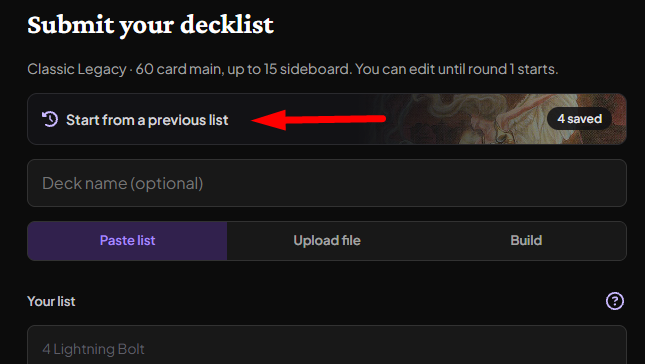
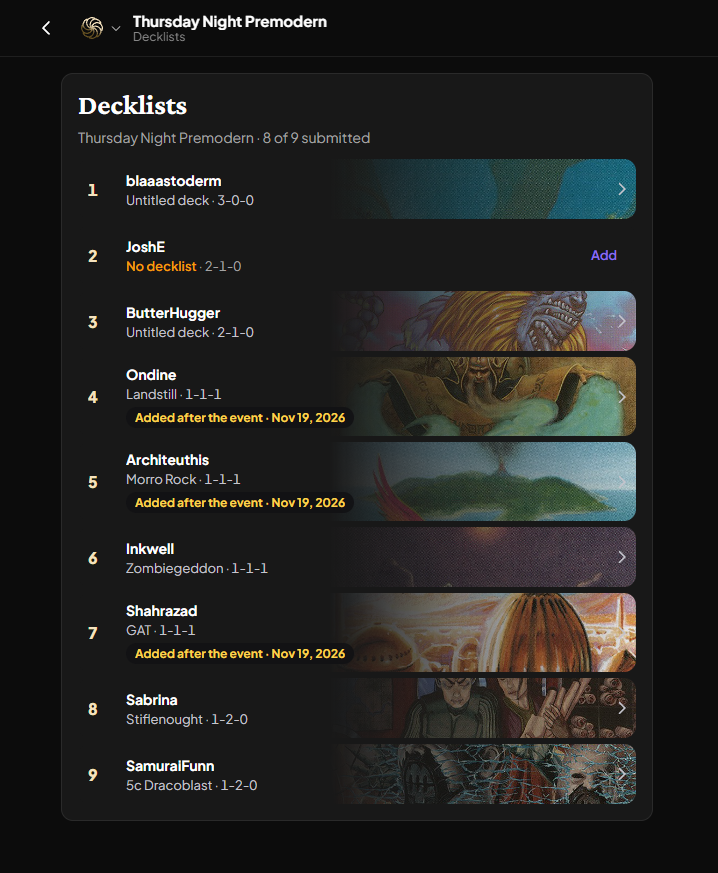
Name it, reuse it, add it late - Decks can carry a name, and "Use a previous decklist" pulls up your past lists with same-format ones first. Players who forgot to submit can still add their list after the event ends, marked "Added after the event."
Decklists go public when the event ends - Once a tournament requiring decklists completes, every list becomes public: a Decklists button on the event pages, a DECK column in final standings, and a read-only viewer with main and sideboard grouping and next/previous navigation between players. Lists stay private until the event is over, and the editor says so up front: "Published after the event."
TradeMagic Play: A Better Event Day
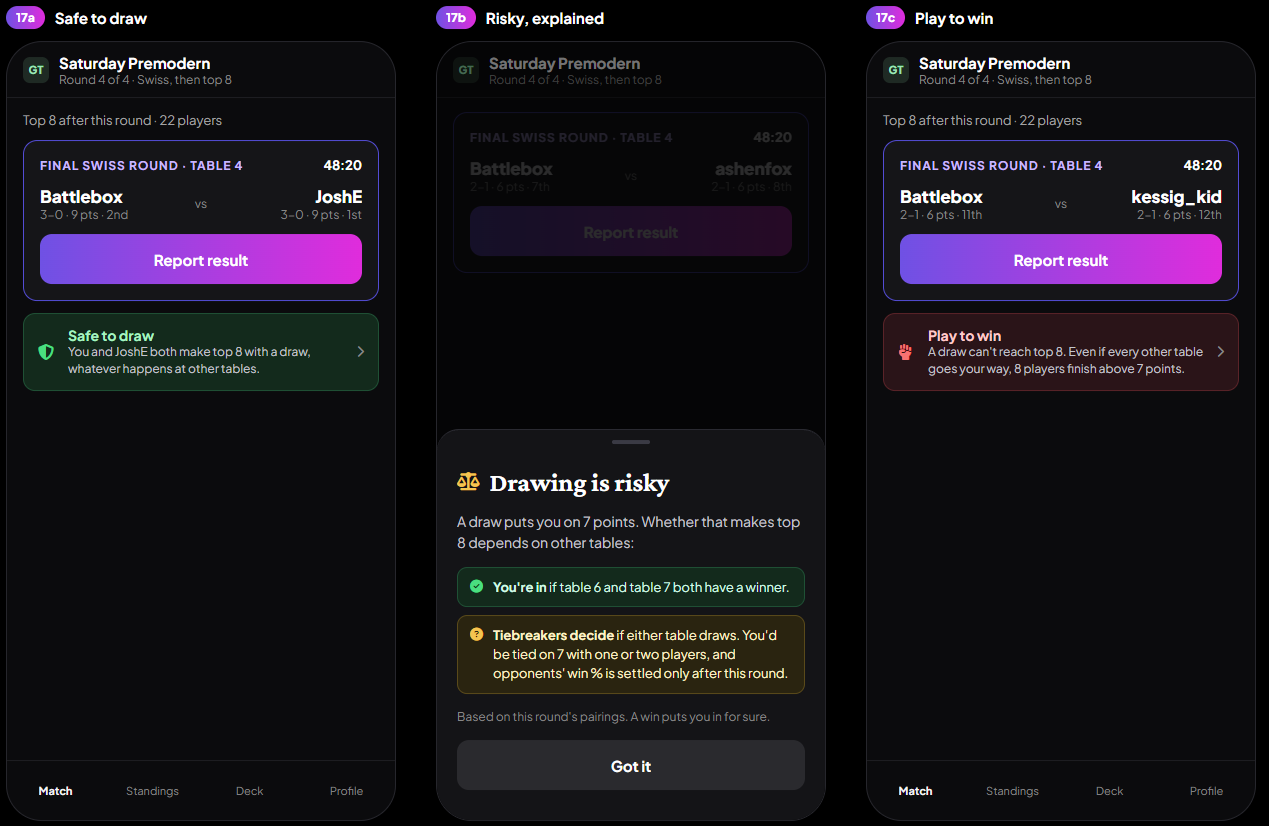
Safe to draw, computed exactly - In the final Swiss round of a cut event, every player with a live match sees their draw status: green "Safe to draw," amber "Drawing is risky," or red "Play to win." Tapping it opens the exact conditions ("You're in if table 6 has a winner and table 7 draws"), verified against brute-force enumeration of every outcome and updated live as other tables report. No percentages, no odds, just the math. Organizers see a per-table pill and can toggle the player view off.
Organizers can actually play - Join your own event in one tap from the lobby or the Add a player sheet, with no decklist prompt blocking the way. When you report your own match, the result is final immediately; your opponent is notified and gets a "Not right? Flag it" button that puts the match in your Issues tab without blocking pairing, so nobody referees their own game in the dark.
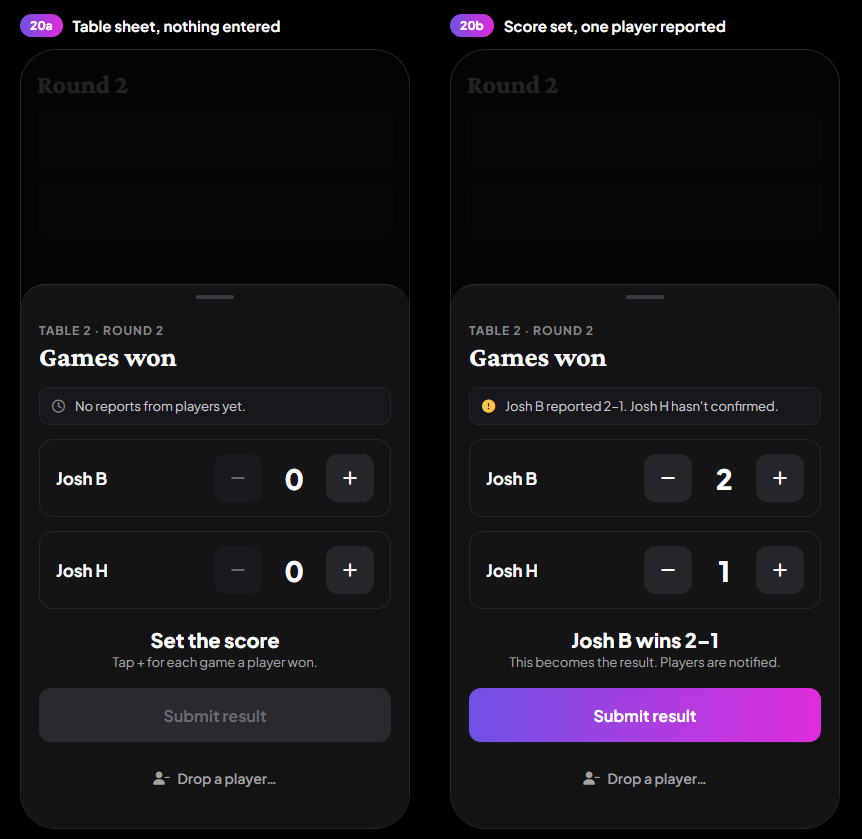
Result entry without the decoder ring - The organizer's result sheet now uses the same named game-win steppers players use, shows the table's state in plain words ("Mr. Mingo reported 2-0. Jess hasn't disputed it."), and notifies both players whenever an organizer enters or corrects a result. Dropping a player moved behind a confirmation step that explains exactly what happens.
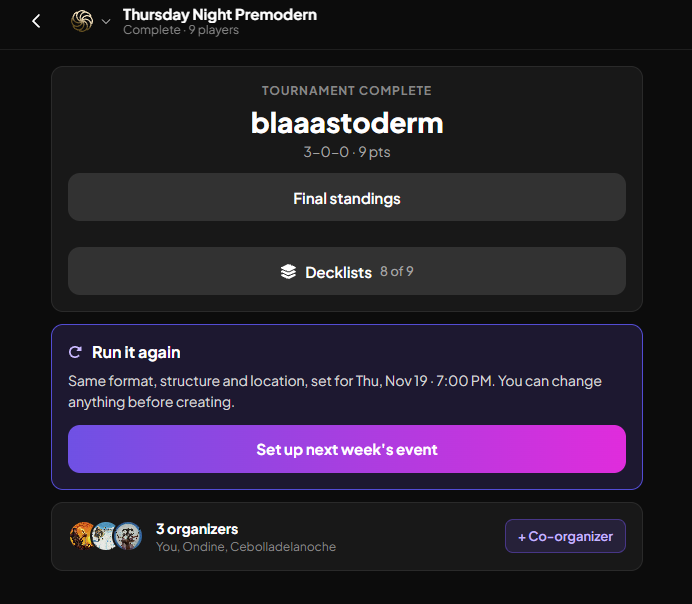
Run it again - Completed events show a "Set up next week's event" button that prefills the whole create form, with the date moved to the next occurrence of the same weekday and time. Typing in the Name field on a blank form suggests your past events for the same one-tap prefill. There's no recurring-series machinery; each event is still created on purpose, just without the retyping.
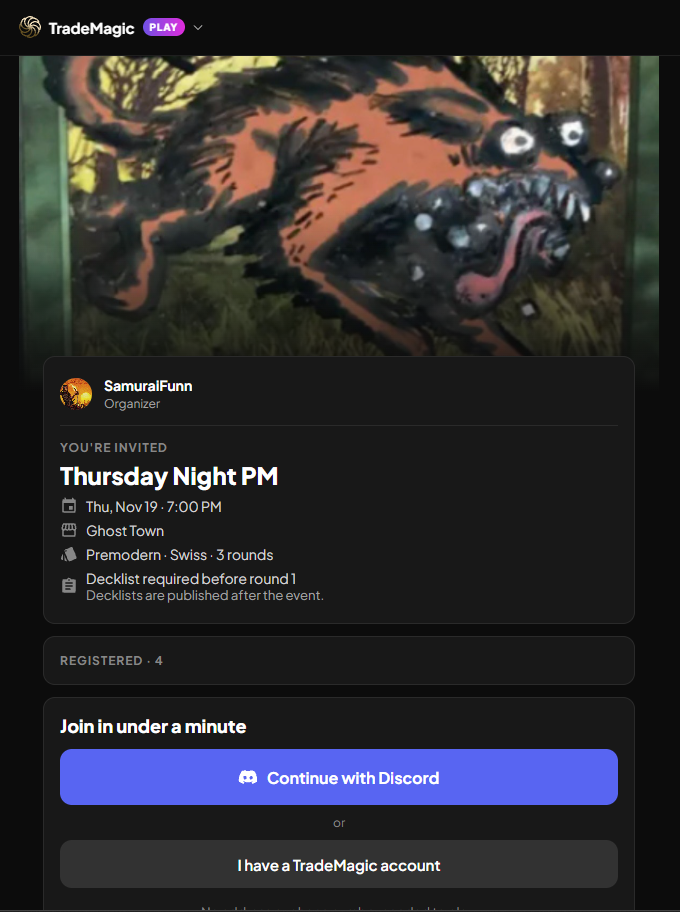
Join links show the event first - Every join link now opens the event details page, date, venue, format, and player count, before anyone commits. Signed-in users get a one-tap "Join as {username}" button, returning users see their last sign-in method first, and reopening a link while registered shows your status instead of a second sign-up.
TradeMagic Play: Looks the Part
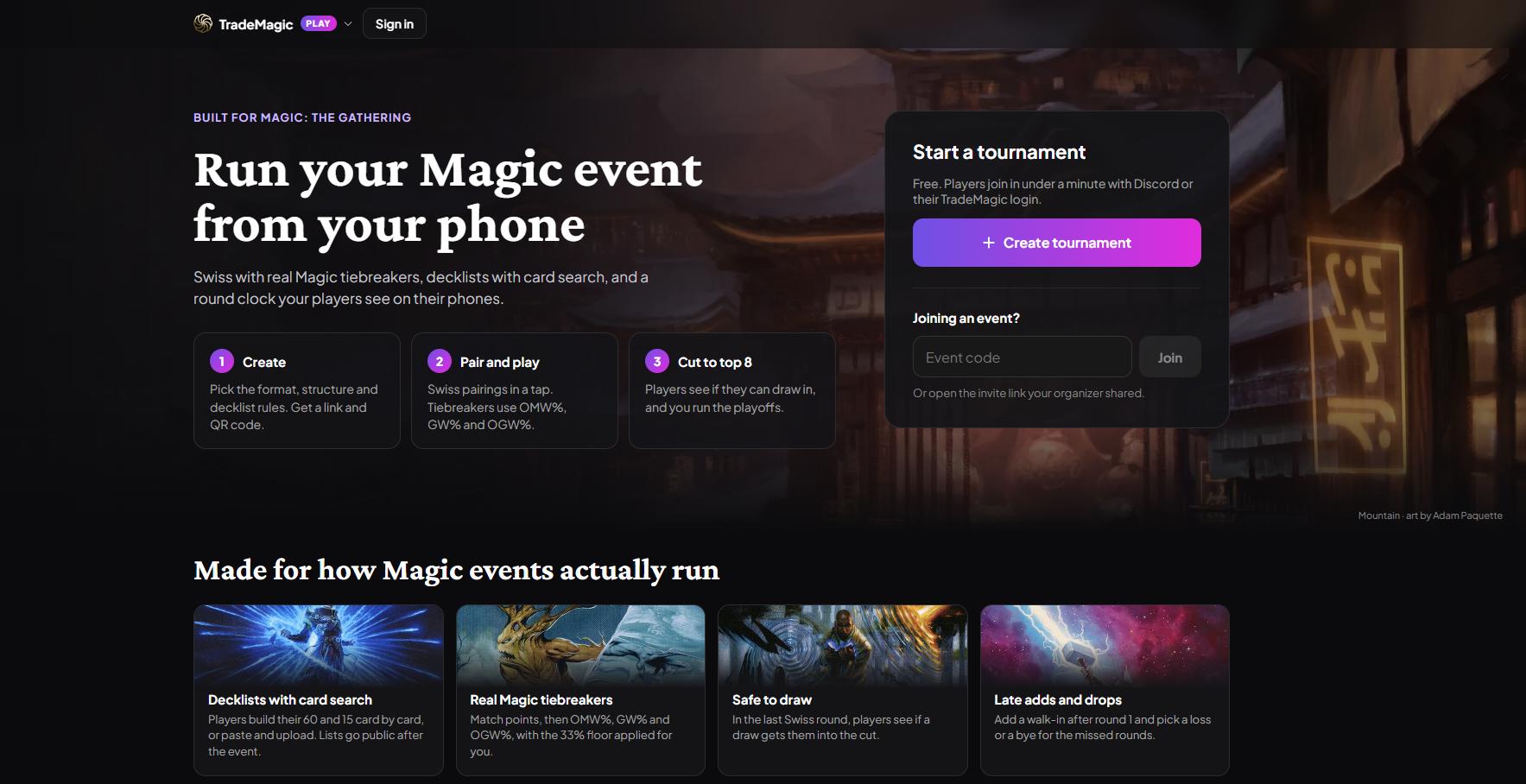
A Magic-first landing page - TradeMagic Play opens with "Run your Magic event from your phone" over Kamigawa: Neon Dynasty art, three step cards, and feature tiles for decklists, real Magic tiebreakers, safe-to-draw, and late adds, each with real card art.
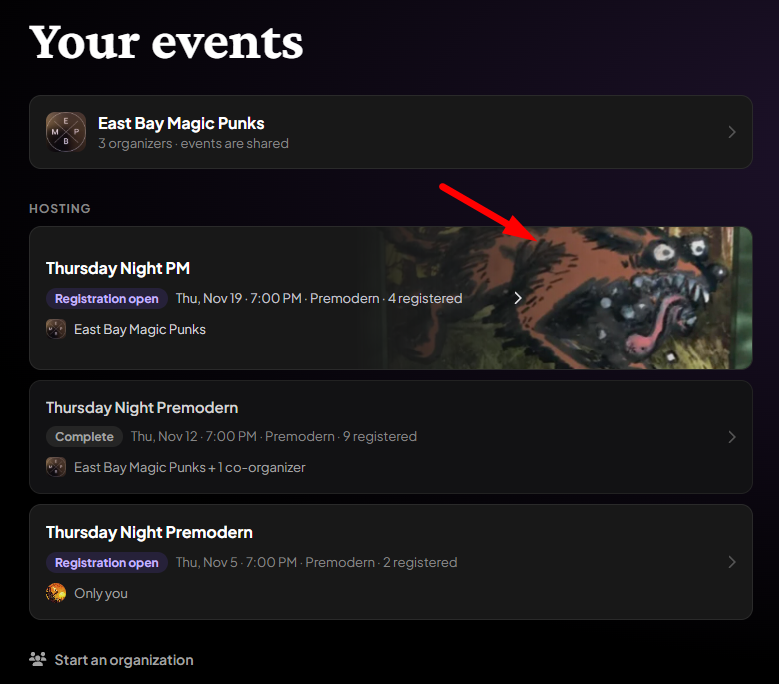
Event images and banners - Organizers can add an image to an event, cropped to a standard banner, shown behind the invite and registration pages and on Your Events rows. Join links pasted in Discord unfurl into a rich card with the event's image, date, venue, format, and registration count.
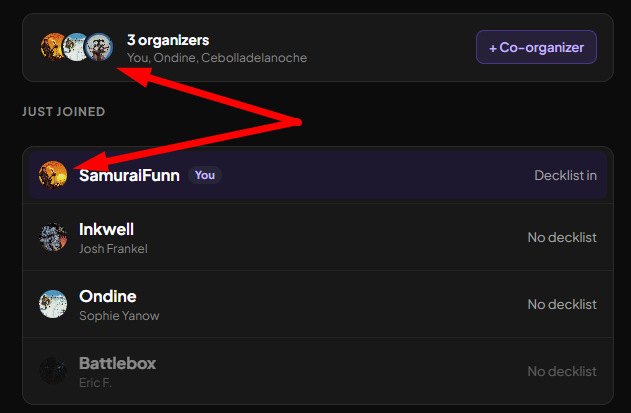
Real faces everywhere - Players and organizers now show their TradeMagic profile pictures across standings, lobbies, player sheets, and the organizer console instead of grey initial circles.
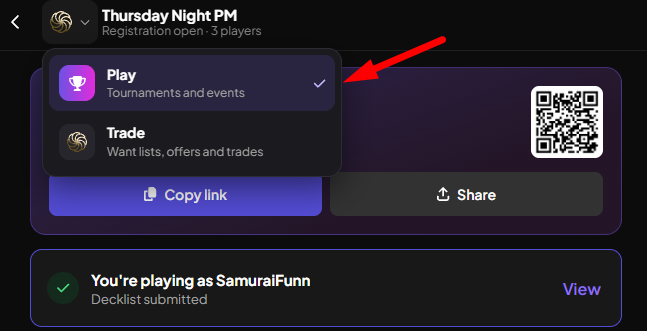
Switch between Trade and Play - The header brand is now a product switcher. On Play it's there for everyone; on Trade it appears once you have any Play activity. During a live match, every Trade page shows a banner with your round, table, and a ticking clock, one tap from anywhere back to your event.
TradeMagic Play: Built for Big Events
Results survive bad venue wifi - A result reported offline is saved on your phone, shows "No connection. We'll send your result as soon as you're back online.", and sends itself on reconnect, surviving page reloads and even sign-in expiry. When the server is unreachable, your screen keeps showing your last known table and opponent rather than going blank.
Print pairings and result slips - The organizer console can now print pairings (by table or alphabetical) and one result slip per match with game boxes and a signature line, for the venues where paper is still the backup that works.
Faster, lighter live updates - Play screens now apply changes in place instead of re-downloading the whole tournament every time a result comes in, phones catch up within about a second after losing connection, and live updates reach every device even while servers scale up or a deploy rolls. Round-start Discord and SMS notifications now go out in parallel, reaching large events in seconds instead of minutes.
Big-event organizer tools - Above 100 players, the organizer's Players tab pages smoothly and gains a server-side search that finds anyone by username or real name. Also fixed: the results-in counter no longer counts byes, and the co-organizer pill no longer reads "Table ?" after a result.
🐛 Bug Fixes
The For Trade switch in the Edit dialog now works - Flipping "For Trade" inside a Have List card's Edit dialog and saving previously reported success while changing nothing; the card stayed visible to other traders. It now actually hides or re-lists the card, and the offer builder's edit dialog no longer shows a For Trade switch that read ON for every card.
Profile Auto-Match stages the copy you actually own - With Auto-Match on, profiles used to show the printing the wanter listed and stage that unowned copy into your trade. Profiles now show and stage your exact matched copy, image, finish, set, and points, using the same rules as Send Cards, and auto-matched non-English copies are priced at their own language.
Search tiles no longer turn into card backs - Hovering off a search result whose full-size image was missing from the CDN permanently replaced its picture with the purple card back. The image that loaded is now remembered, fixing the same glitch across 36 surfaces.
Pages recover from failed loads - A section that fails to load (like the Home live map) now retries itself automatically, and if it truly can't load, only that section shows a Reload button while the rest of the page keeps working, instead of the whole app being replaced by an error screen.
Menus and toasts stay on screen - The My Cards toolbar menus no longer open off the edge of larger phones or off the bottom of short desktop windows, and notification toasts respect the viewport and device safe areas.
Play scrolls normally on iPhone - Play pages no longer bounce back to the top on a slow swipe in iPhone Safari, and the Play header now stays pinned while you scroll.
✨ Polish
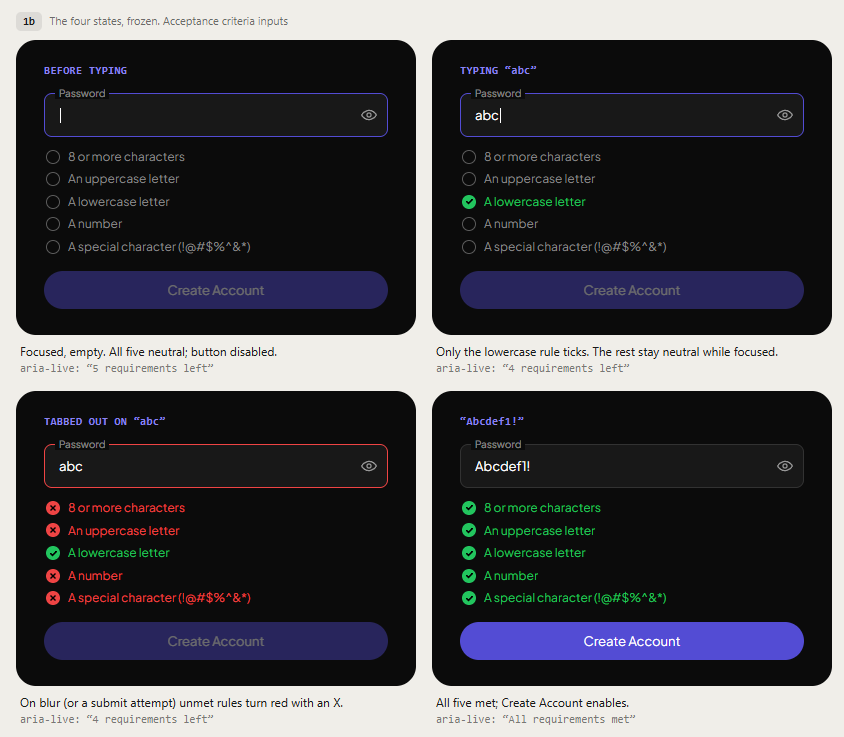
Sign-up shows password rules as you type - The password field now shows a live five-item checklist that checks off as you meet each rule, instead of rejecting your submission with a popup after the fact. The password reset page got the same treatment.
Setup banner tells the truth - The new-trader setup banner now shows the points you were actually paid, and the final step is honestly labeled "Receive first trade": it only shows "in the mail" when cards are genuinely inbound to you, and no longer promises the final reward for sending a trade.
Global Snapshot: one definition of active - "Active traders" now means exactly one thing everywhere: you sent or received a card in a non-cancelled trade in the last 30 days. Signups and logins no longer count, so the number drops and "points per active trader" rises; that's the definition getting honest, not traders leaving.
Global Snapshot: cards, not packages - The volume tile now counts individual cards traded per month using the same rules as the home page counter, so the two numbers finally agree with each other.
Articles end better - Every article now closes with a sign-off bar and "Keep reading" rows showing each linked article's hero art, replacing the old text-link footer. Article images are also click-to-expand: images shown smaller than their real size open in a full lightbox with an "Open original" link.
Keep reading
- Sustainable Economics Pt. 3: Year One
TradeMagic just turned one! Here's the year in four charts & where the economy stands - How It Works: Collection Focus Mode
One click collapses everything on My Cards except the search and your list, then makes the cards big. - What's New: Focus Mode, Trade Offer Revisions, and Sidebar Mode on /sendcards
Focus