Settings has a new layout with Vacation Mode and a setting for each email TradeMagic sends, and the leaderboard is rebuilt with four new boards and a panel showing where you stand. Cards added to a trade from a want list, the send page, Activity, or Compose Trade now use the exact printing and language pictured, at the same point value.
🌟 Major Features
Settings and Vacation Mode
New Settings Layout - Settings is now organized into tabs across the top: Profile, Account, Preferences, Notifications, Privacy, Blocked, Emoji, Partners, and Billing. Old links to Settings pages still work.
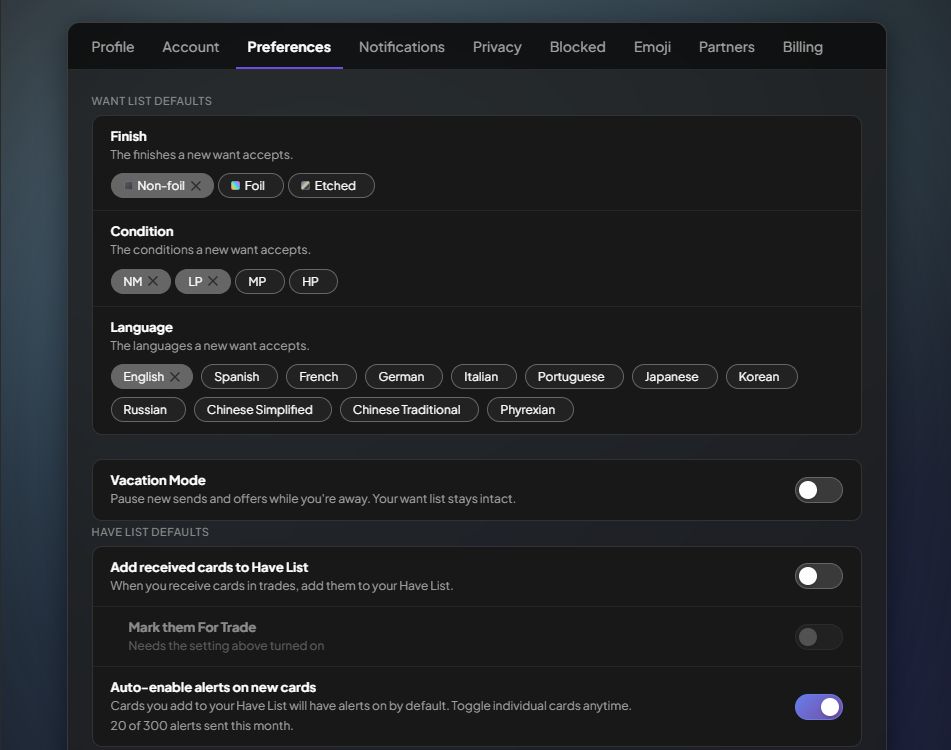
Vacation Mode - Going away? Turn on Vacation Mode in the Preferences tab and pick a return date: 1 week, 2 weeks, 1 month, a date up to 90 days out, or no end date. While it's on, nobody can send to your want list, you won't receive new trade offers or Have List SMS alerts, and you drop out of matching. Your profile shows "Away until" your return date, and a banner across the site has an "I'm back" button to end it early. Trades already in progress carry on as normal.
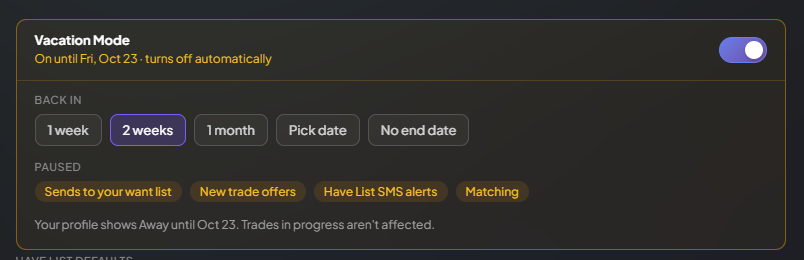
Email Notifications - The Email tab is now Notifications, with a separate on/off setting for 13 kinds of email, grouped into Messages, Trades, Trade Offers, and From TradeMagic. Hover any setting to preview the email. Your existing opt-outs carried over. Security emails always send.
Leaderboard Refresh
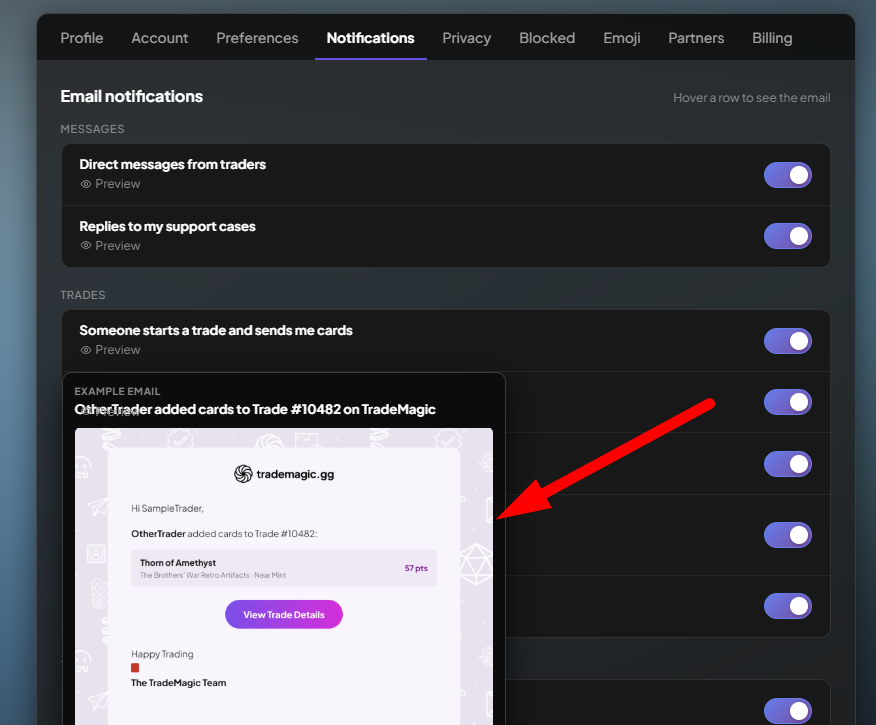
Four New Boards - The leaderboard now has 10 boards in four groups. Volume: Most Trades, Cards Sent, and the new Longest Streak. Value: Most Points and the new Points Sent and Biggest Trade. Community: the new Trade Partners, plus Highest Rated. Newcomers: New Members and Rising Stars.
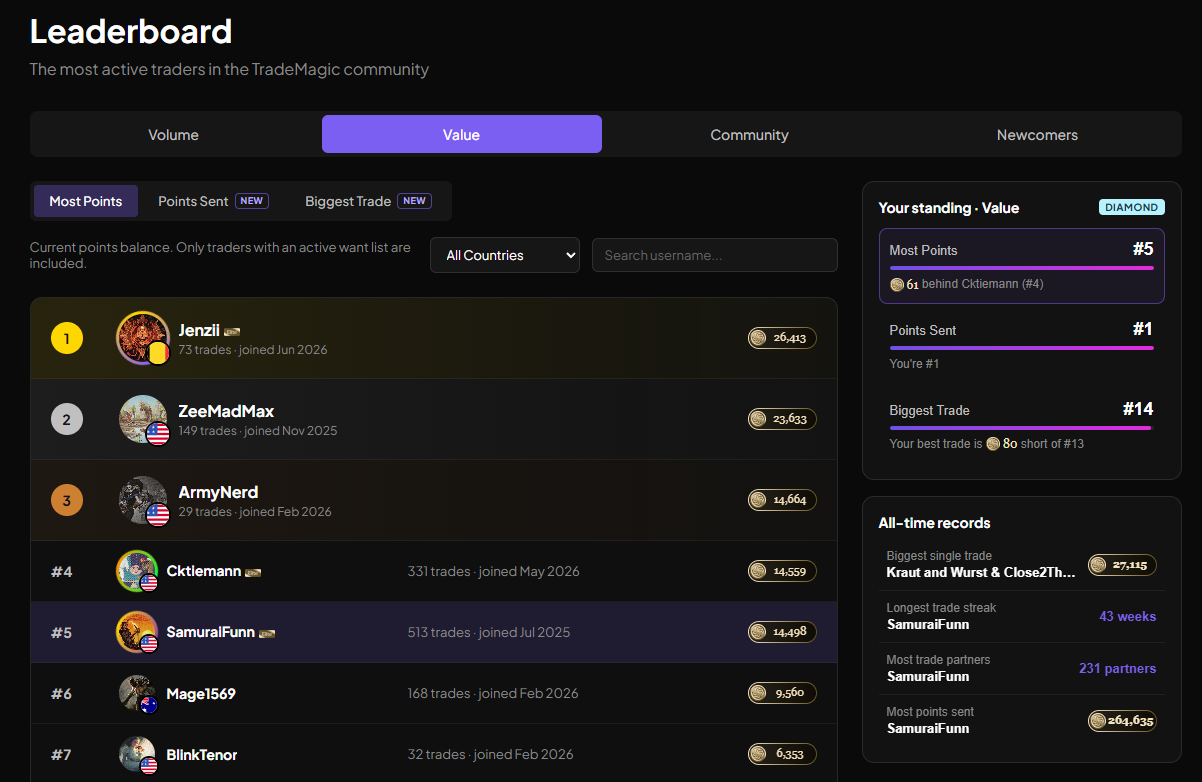
Your Standing - A side panel shows your rank on each board in the group and how far you are from the next spot. An All-Time Records card lists the biggest trade, longest streak, most trade partners, and most points sent.
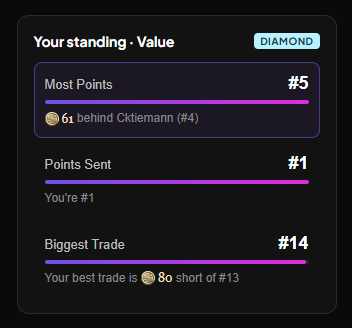
Fairer Rankings - Highest Rated now requires at least 10 reviews, and Cards Sent no longer counts cards that were removed from a trade. The top three appear as larger rows at the top of each list. You no longer need to be logged in to view the leaderboard.
Trading
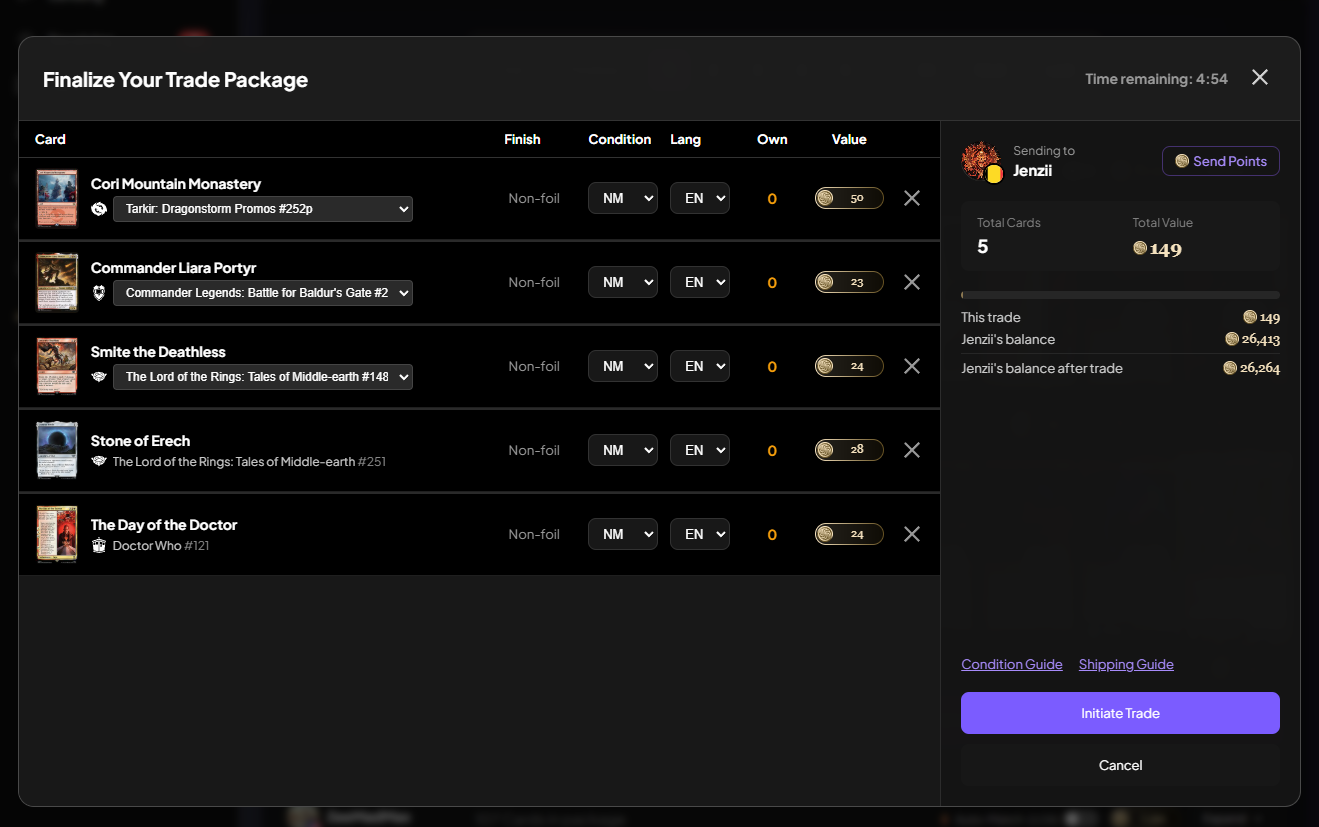
Finalize Trade Redesign - The Finalize Your Trade window has a summary panel on the right with the package total and the receiver's balance. If the receiver doesn't have enough points, it shows how many they're short, and a Send Points button fills in that amount for you. On phones it opens full screen.
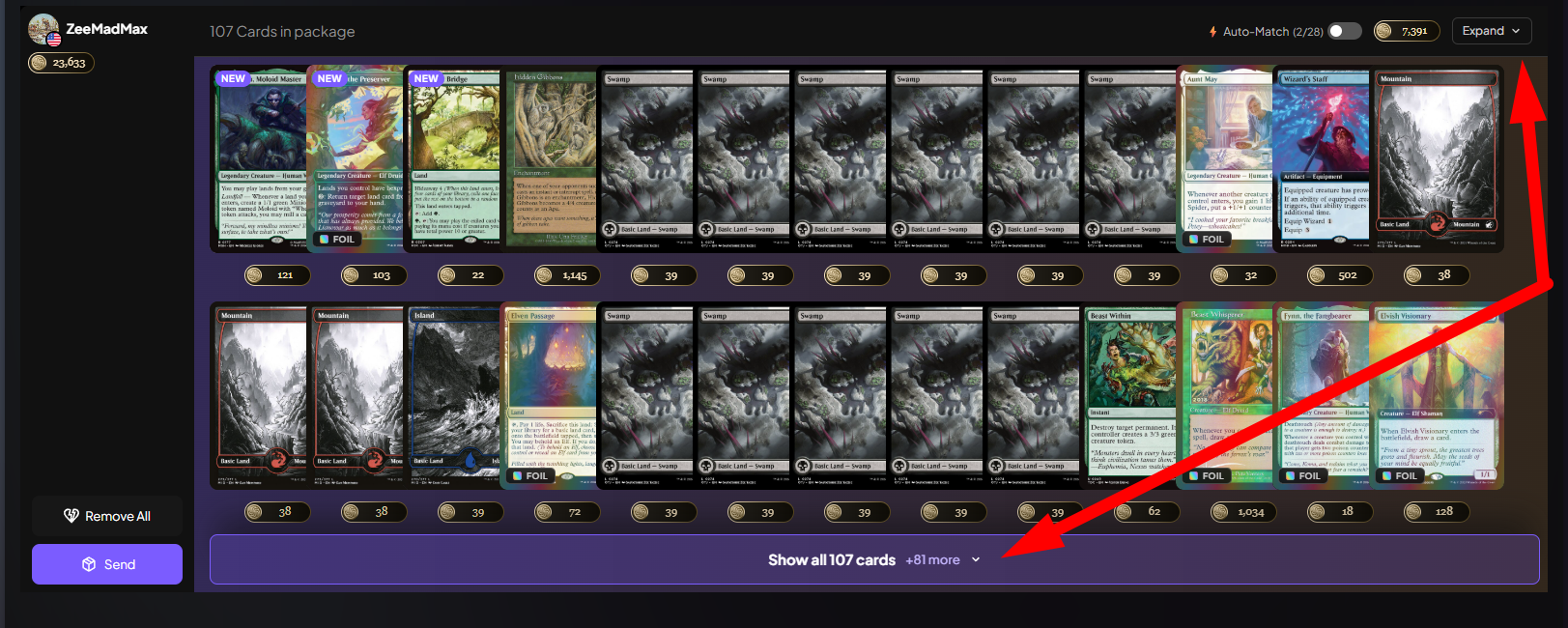
Collapsible Want Lists - On Send Cards and the Activity Feed's By Trader view, long want lists can be collapsed to two rows, newest first, with a NEW tag on cards added in the last 7 days. Collapse all and Expand all buttons are in the toolbar. Your choice is saved to your account and applies on both pages.
Two-Way Trade Offers - When a two-way offer is split into two trades, the points the second trade needs are set aside the moment the offer is accepted, so it can't be cancelled for lack of points after cards have shipped. The second trade's 72-hour ship window now starts when that trade opens, not when the offer was made, so it's no longer flagged overdue early.
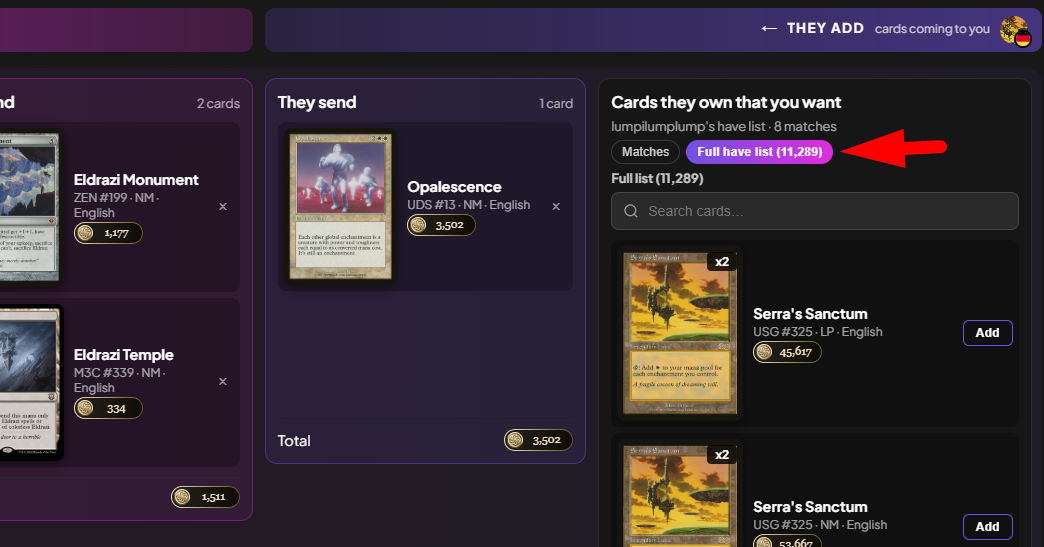
Full Have List in Trade Builder - The Trade Builder now shows every card the other trader has marked for trade, even if they keep their profile Have List private.
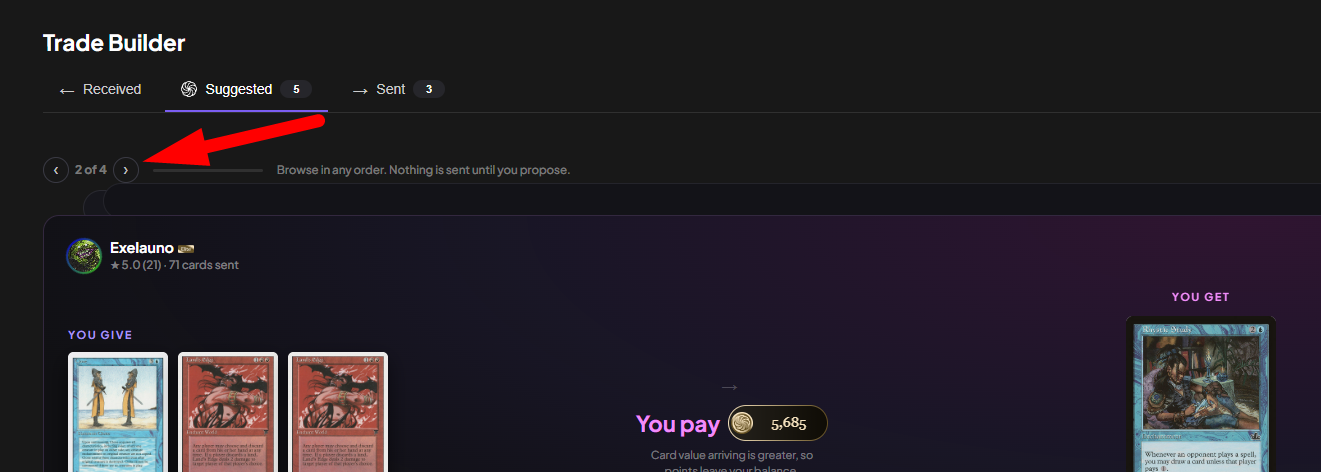
Browse Suggestions - The Suggested tab has previous and next arrows, and the left and right arrow keys work too, so you can look through suggestions in any order without passing on them.
Collection
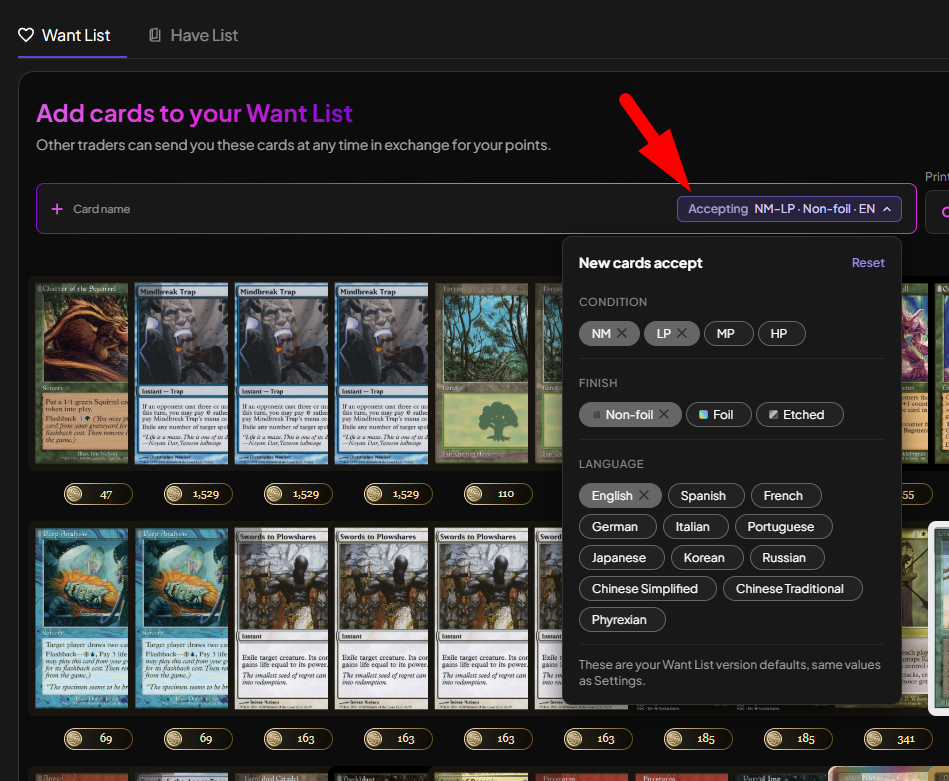
"Adding As" Defaults - When adding cards to your Have List or Want List, a setting inside the card name field shows what new cards will be added as, for example "LP · Foil · EN", and you can change it right there. Have List cards added in another language are now created as that language's printing.
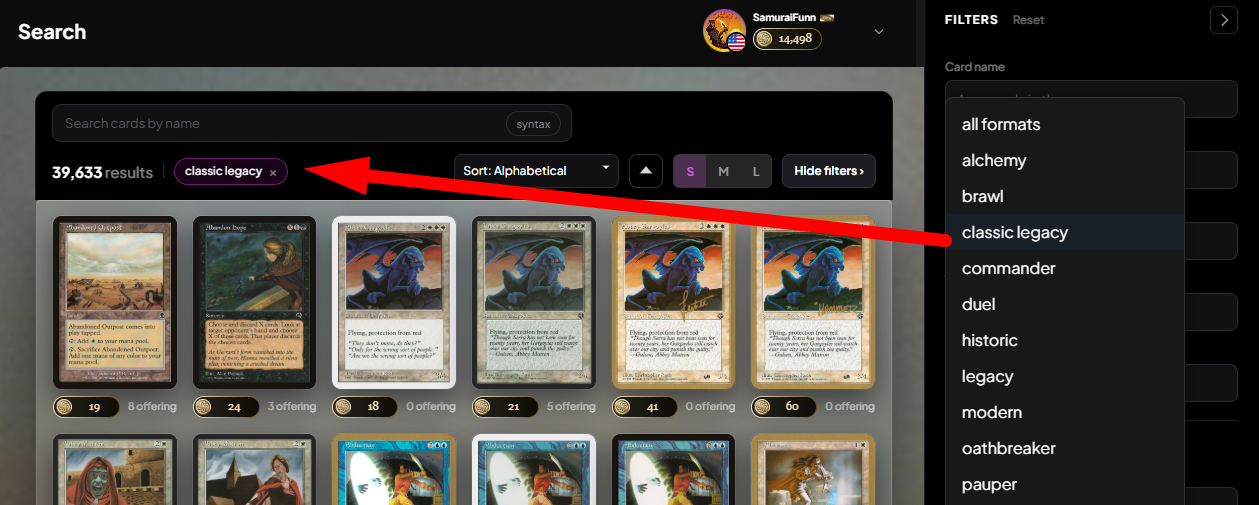
Classic Legacy Format - The Formats filter on your lists, Search, the Activity Feed, and Trade History has a Classic Legacy option: cards from Alpha through Rise of the Eldrazi with that format's ban list applied. Reprints count, so any printing of a legal card passes.
🐛 Bug Fixes
Trading and Pricing
The Card You See Is the Card You Trade - Adding a card from someone's want list sometimes staged a different language than the one pictured. A French Renaissance card, for example, was added as English, which doesn't exist for that set, and showed "No price". Want lists, the send page, Activity, and Compose Trade now all stage the exact printing and language shown, at the same value, and the language menu lists only languages the printing was actually made in that the wanter accepts.
Send Page Prices for Non-English Wants - A want for a non-English card could appear on the send page as a cheaper English printing from a different set. The send page now shows the wanted printing itself whenever the wanter can afford it.
"No Price" Instead of 0 - A card without a price showed as 0 points in the trade sidebar, on profiles, and on My Cards. These now read "No price", and the card can't be added to a trade until it has one.
Emails
Shipped Emails - The email telling you a trader has shipped your cards wasn't being delivered. It now sends, and it lists every card in the package with its set, condition, finish, and point value.
Profiles
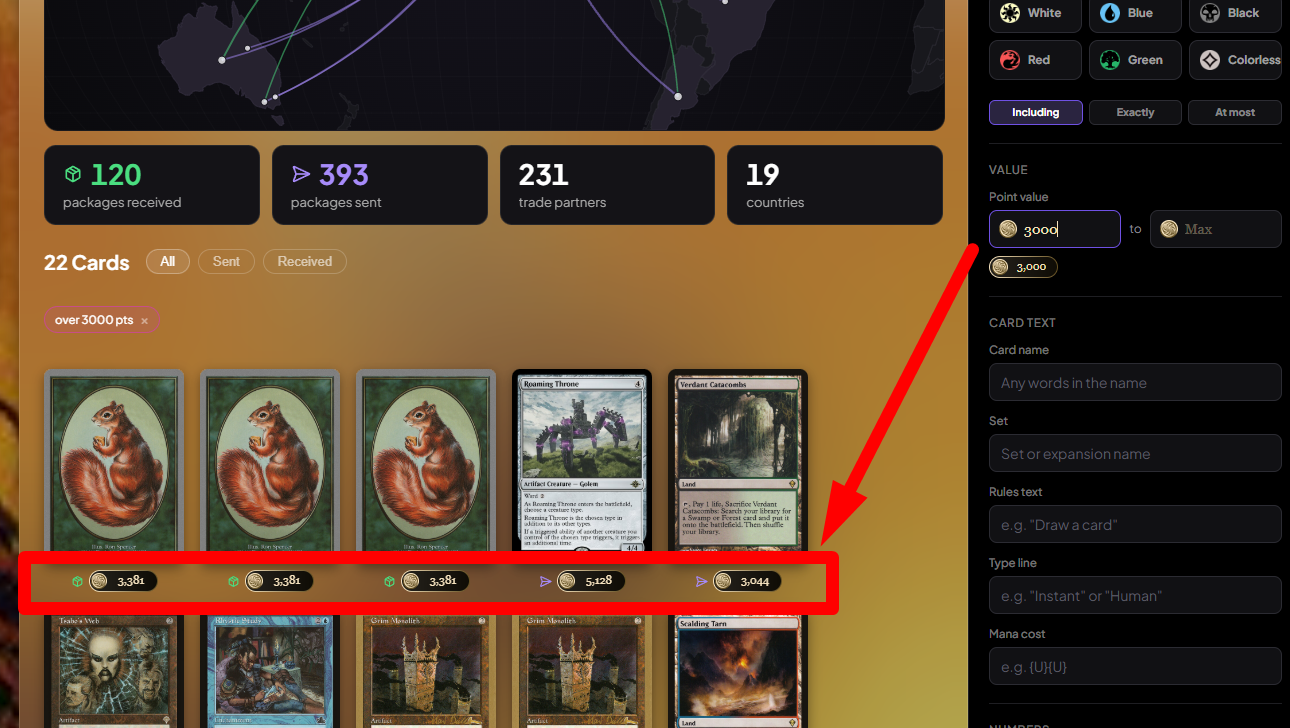
Trade History Filters - Filtering a profile's Trade History by point value, name, or set showed every card from any trade that matched. It now shows only the cards that match, and the card count follows.
✨ Polish
Ship and Delivery Times - On profiles, Avg Ship Time now measures from when a trade opens to when it's marked shipped. A new Avg Delivery Time shows how long packages take to arrive once shipped.
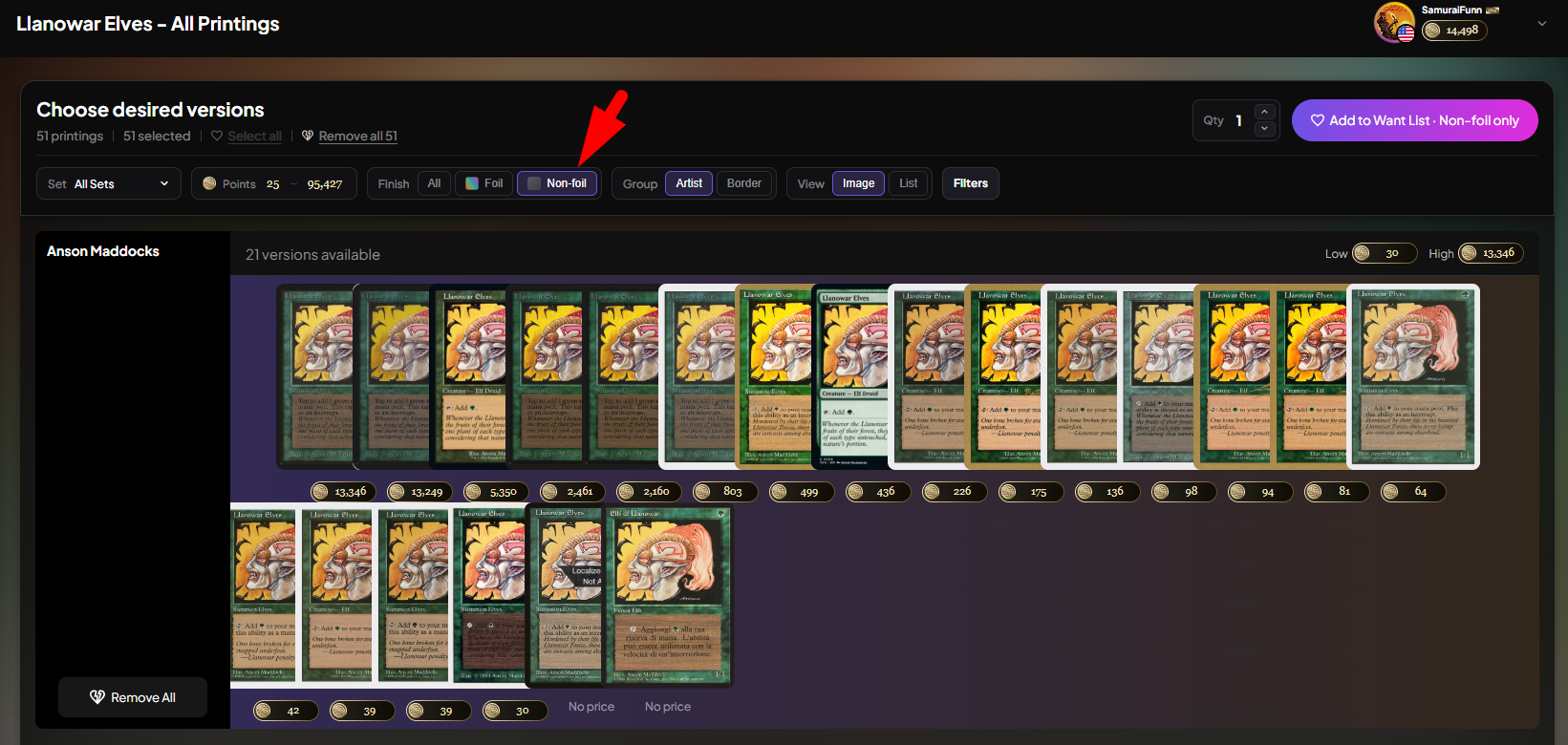
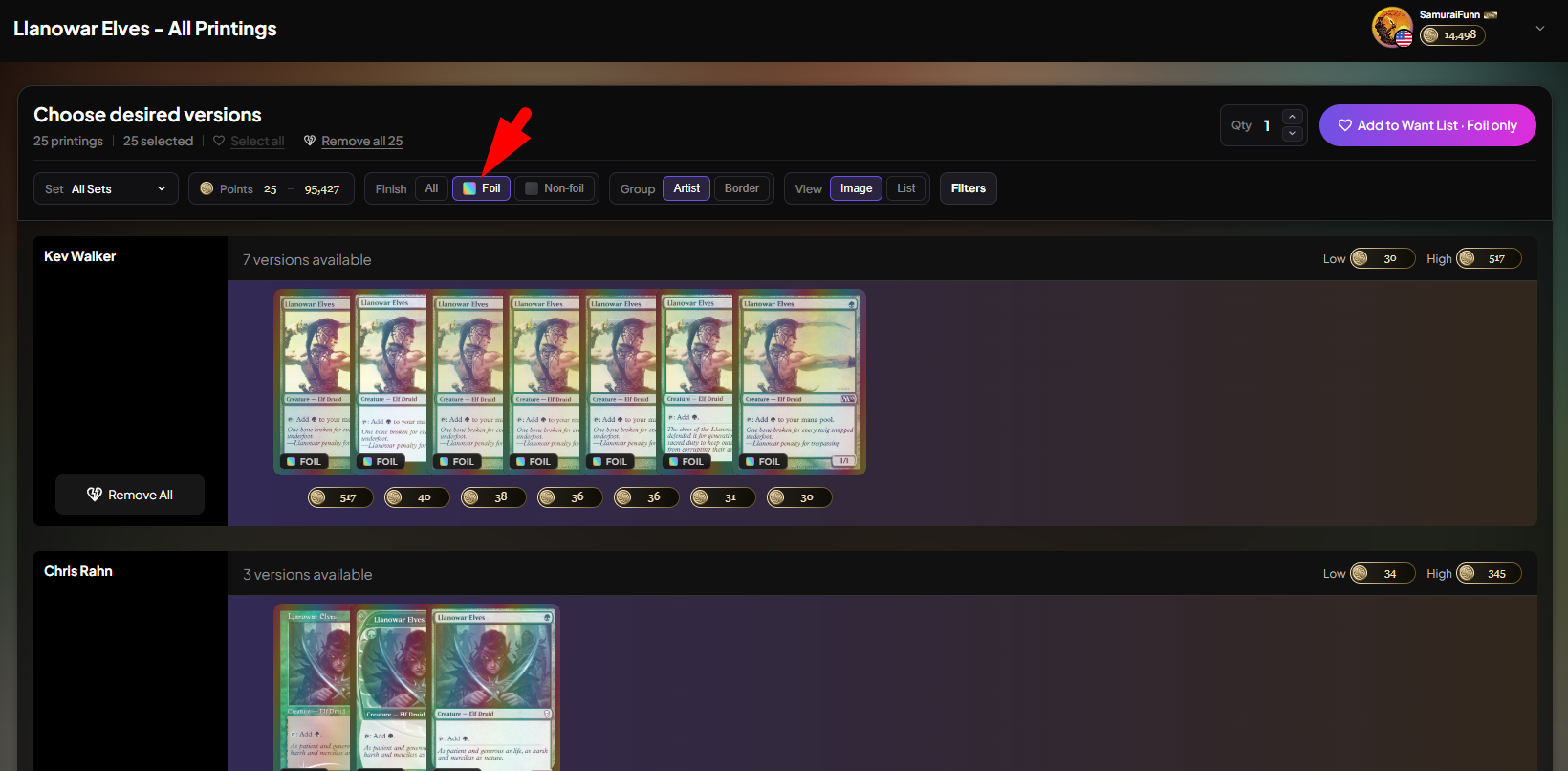
Versions Page - On a card's Versions page, the Finish choice (All, Foil, Non-foil, and Etched where it exists) now sits in the filter row and hides printings that don't come in that finish. Select all and Remove all sit next to the printing count.
Deck Art on Card Pages - More decks in the How This Card Is Played section now show art, including archetypes whose names aren't card names.
Activity Feed on Phones - On phones, the By Card view always uses the small card size, and the size control is hidden.
Keep reading
- A Rebuilt Landing Page, Rarity Filters & Play Decklists
The logged-out landing page gets live data and interactive demos, every card list gains a rarity filter, and TradeMagic Play adds decklists, Safe to Draw, and tools built for big events. - Sustainable Economics Pt. 3: Year One
TradeMagic just turned one! Here's the year in four charts & where the economy stands - How It Works: Collection Focus Mode
One click collapses everything on My Cards except the search and your list, then makes the cards big.