We built TradeMagic for people who love trading cards, and that means making the platform fast and frictionless. One thing kept bugging us: every time you wanted to search for a card, you had to navigate to the search page, click into the search box, and then start typing.
So we fixed it.
What's New
If you're on desktop, just start typing from anywhere on the site. As soon as you press a key (and your cursor isn't already in a text field), a full-screen search overlay appears with your query at the top and results populating in real-time below.
No navigation. No clicking. Just type.
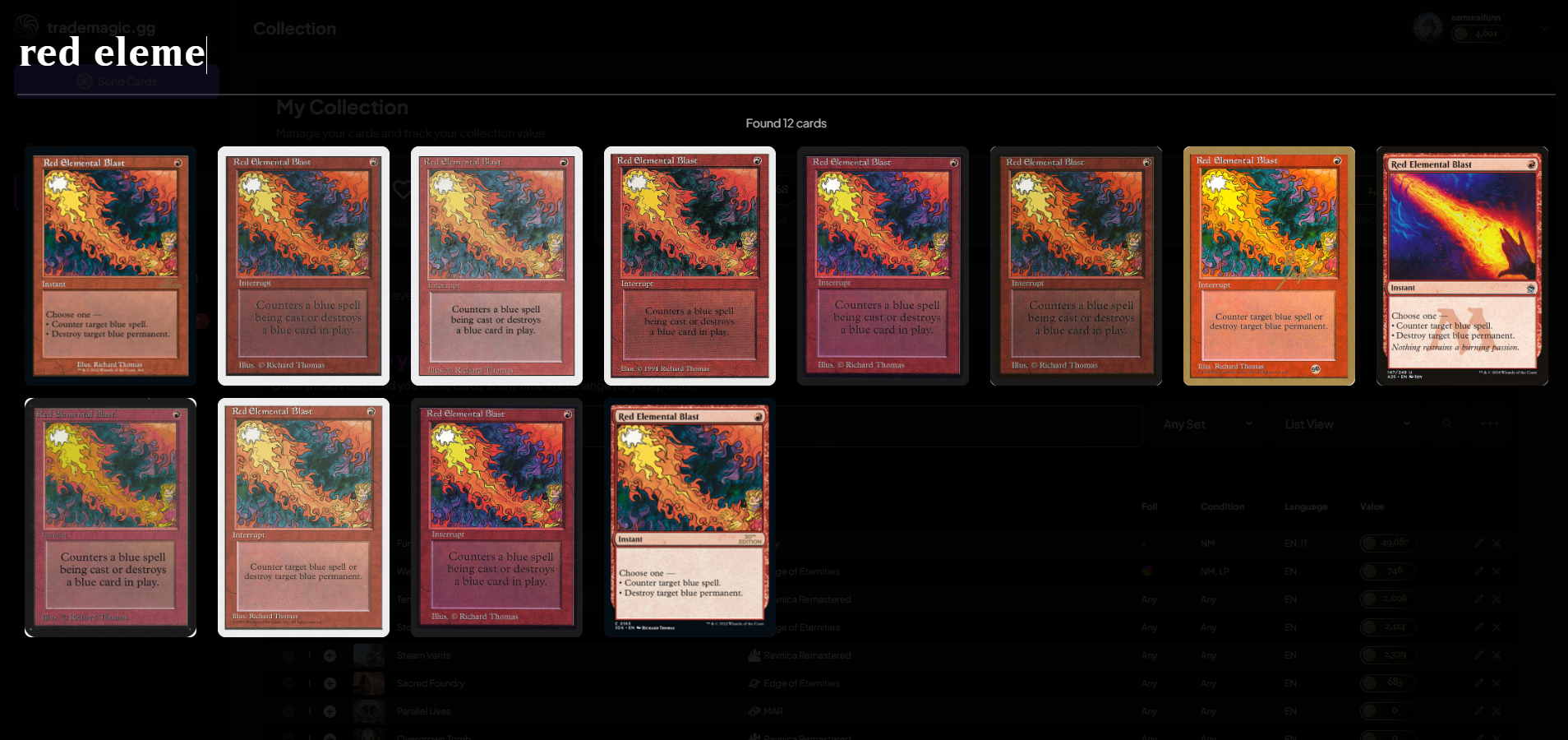
How It Works
Trigger the overlay — Start typing from any page. The first letter you press brings up the search overlay instantly.
See results in real-time — Search results populate as you type, using the same fast search you're familiar with from the main search page.
Hover to preview — Hover over any card to see pricing, set information, and the "Want" button—exactly like the regular search page.
Close when done — Press Escape or click the dark background to dismiss the overlay and return to what you were doing.
It's like Spotlight on Mac or the command palette in Slack—designed for keyboard-first workflows.
Why This Matters
This feature isn't revolutionary. It's just one of those quality-of-life improvements that makes the site more fun to use. It removes friction from one of the most common actions on the site: searching for cards.
Desktop Only
This feature is designed for desktop users with keyboards. If you're on mobile or tablet, the regular search page still works great—just tap the search icon.
A Note on Design Philosophy
We think about features like this a lot. Not everything needs to be flashy or groundbreaking. Sometimes the best improvements are the ones that just get out of your way and let you do what you came here to do: trade cards.
Search from Anywhere is one of those features. It won't change your life, but it might make TradeMagic feel a little faster, a little smoother, and a little more fun to use.
Give it a try. Next time you're browsing the site on desktop, just start typing and see what happens.
Keep reading
- A Rebuilt Landing Page, Rarity Filters & Play Decklists
The logged-out landing page gets live data and interactive demos, every card list gains a rarity filter, and TradeMagic Play adds decklists, Safe to Draw, and tools built for big events. - Sustainable Economics Pt. 3: Year One
TradeMagic just turned one! Here's the year in four charts & where the economy stands - How It Works: Collection Focus Mode
One click collapses everything on My Cards except the search and your list, then makes the cards big.