New Feature: Set Default Preferences for Your Want List
Stop selecting the same options over and over again.
If you've ever added a bunch of cards to your Want List, you know the routine: select condition, pick foil or non-foil, choose language—repeat for every single card. If your preferences rarely change, that's a lot of unnecessary clicking.
Not anymore. You can now set global defaults for your Want List that automatically apply every time you add a card.
How It Works
Step 1: Open Your Settings
Head to your Settings page and click on the Preferences tab.
Step 2: Find "Version Defaults – Want List"
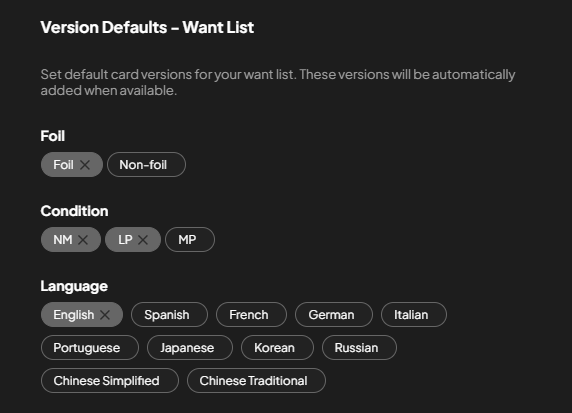
You'll see a new section called Version Defaults – Want List with the description: "Set default card versions for your want list. These versions will be automatically added when available."
Step 3: Configure Your Defaults
You'll see three categories of preferences, each with clickable pills:
Foil — Choose whether you want Foil, Non-foil, or both. If you only collect non-foil cards, deselect "Foil" and every card you add will default to non-foil (when available).
Condition — Select which conditions you'll accept: NM (Near Mint), LP (Lightly Played), or MP (Moderately Played). Most traders leave all three active, but if you only want NM cards, just deselect LP and MP.
Language — Choose your preferred languages. English-only collector? Deselect all the other languages. Building a Japanese collection? Keep only Japanese active.
Step 4: You're Done
That's it—no save button required. Your preferences update instantly and persist across sessions and devices. Every card you add from now on will inherit these defaults.
Where Your Defaults Apply
Your preferences automatically carry over to:
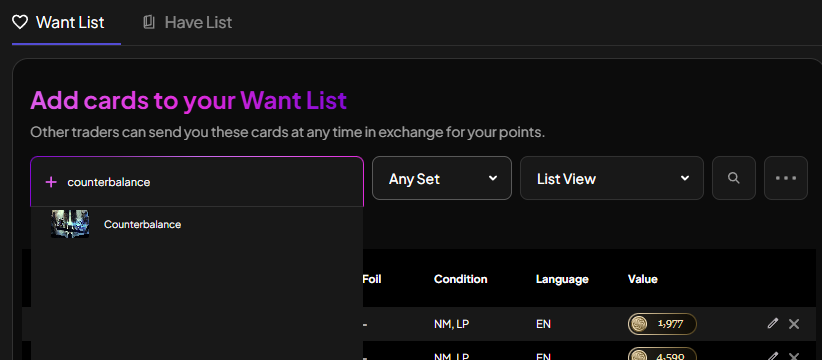
Quick Add on Want List — Adding cards directly from your Want List page
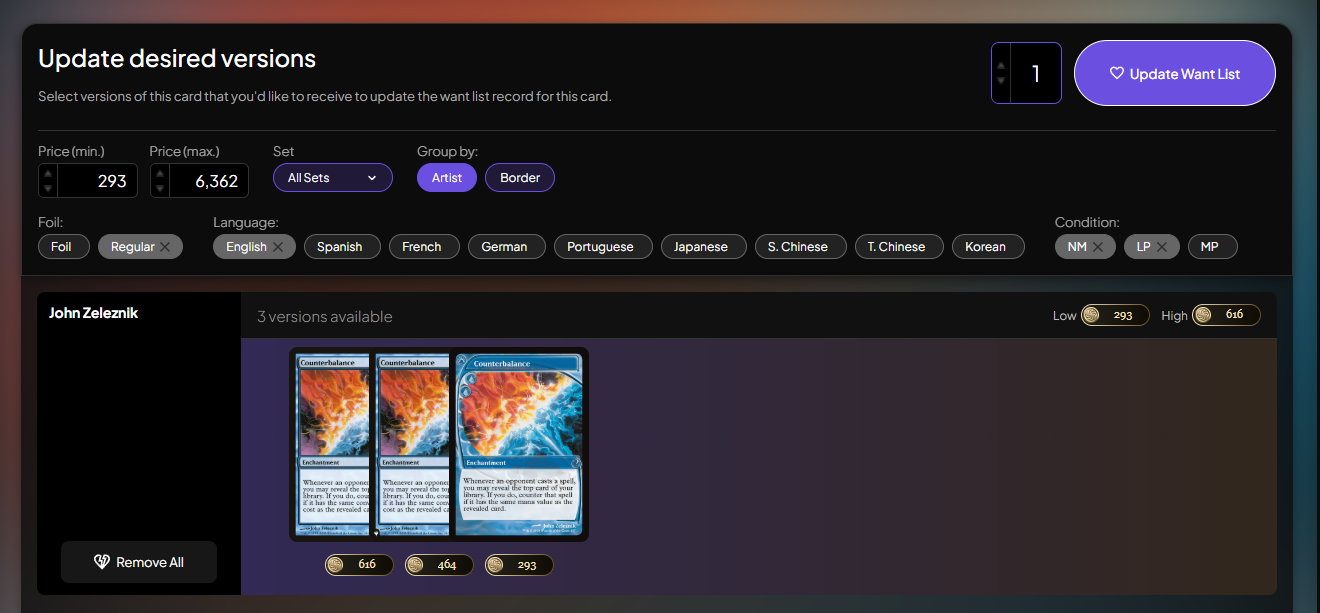
Choose Printings page — When selecting specific versions of a card, your defaults are pre-selected
Note: When editing an existing Want List entry, your defaults won't override the card's current settings. The Update Printings page shows what's actually saved for that specific card, not your defaults.
Smart Fallback Behavior
Your defaults are preferences, not hard rules. The system handles edge cases gracefully:
If a card only exists in foil (like certain promo printings) and you've defaulted to non-foil, it'll still be added as foil since that's the only option
Same logic applies to language and condition—if your preferred version doesn't exist, you'll still be able to add the card
A Few Things to Keep in Mind
At least one option required — You can't disable all options in a category. Need at least one condition, one foil preference, and one language selected at all times.
Only affects new cards — Changing your defaults won't update cards already on your Want List. Your existing entries stay exactly as they are.
Changes save automatically — Each click updates your preference immediately. You'll see a quick "Preference updated" confirmation.
Why This Matters
This feature is a small quality-of-life improvement that adds up fast. If you're adding 50 cards to your Want List, that's potentially hundreds of clicks saved. Set your preferences once, and just focus on finding the cards you want.
Get Started
Head to Settings → Preferences and configure your defaults. Your future self will thank you.
Happy trading!
Have feedback on this feature? Reach out on Twitter, Bluesky, or Reddit.
Keep reading
- How to Build Community by Trading Cards
Unexpected and Delightful Throw-Ins - The Joy of Trading Cards Again
Why Trade Magic Is Bringing Back Magic's Best Kept Secret - Why Magic Players Need a Better Way to Trade
Why the magic trade market needs a purpose-built platform in 2026