Mountain has over 400 printings. Here's how to find the exact ones you want.
Some Magic cards have been printed dozens—or even hundreds—of times. Basic lands, format staples like Lightning Bolt, and classic cards like Birds of Paradise exist across countless sets, artists, and frames. If you're particular about which versions you collect (and you should be), TradeMagic makes it easy to specify exactly what you're looking for.
The Problem with "Any Version"
When you add a card to your Want List, you might not care which printing you receive. But for many collectors, the version matters:
You want the John Avon Unhinged lands for your cube
You're collecting every printing of your favorite card
You prefer old-border frames or specific artist illustrations
You need foils from a particular set for your Commander deck
This is where the Choose Printings page comes in.
Step 1: Search for Your Card
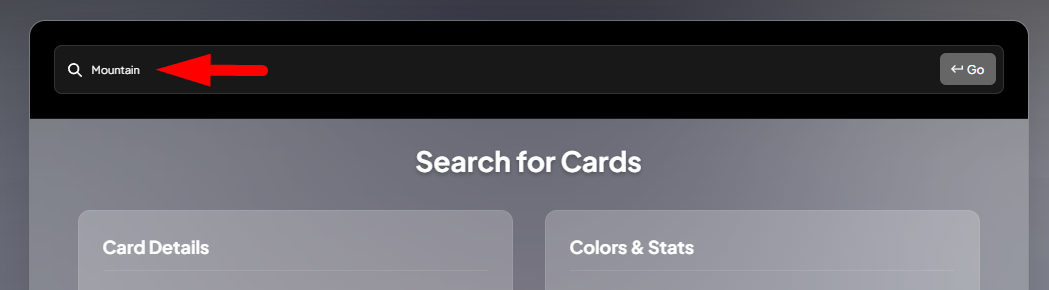
Head to the Search page and type the card name. For this example, we'll use Mountain—a card with hundreds of printings across Magic's history.
Step 2: Click "Want" on Any Version
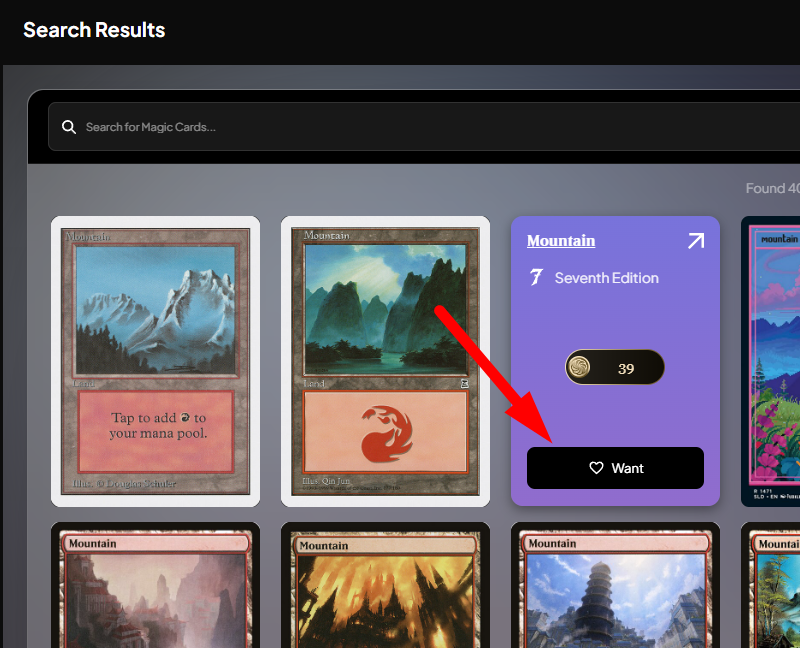
From the search results, hover over any printing and click the Want button. Don't worry about which version you click—you're about to see all of them.
This takes you to the Choose Printings page, where you can browse every version of that card ever printed.
Step 3: Filter to Find Your Exact Version
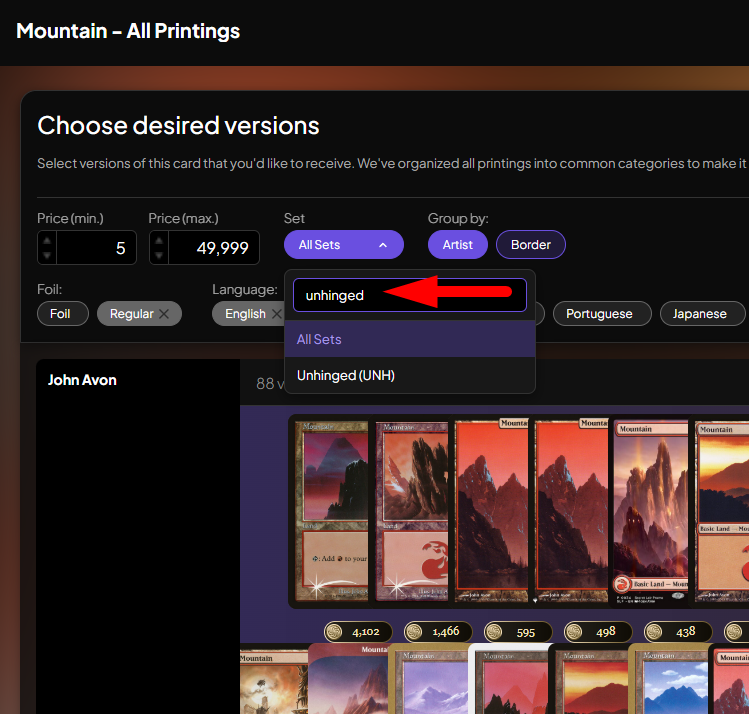
The Choose Printings page gives you powerful filters to narrow down exactly what you want:
Set Filter — This is the big one. Click the Set dropdown and search for a specific set. Looking for Unhinged basics? Type "unhinged" and select it. The page instantly filters to show only printings from that set.
Price Range — Set minimum and maximum point values to filter by budget.
Foil — Toggle between Foil, Regular (non-foil), or both.
Condition — Select which conditions you'll accept (NM, LP, MP).
Group By — Organize results by Artist or Border style for easier browsing.
Step 4: Select Your Printings
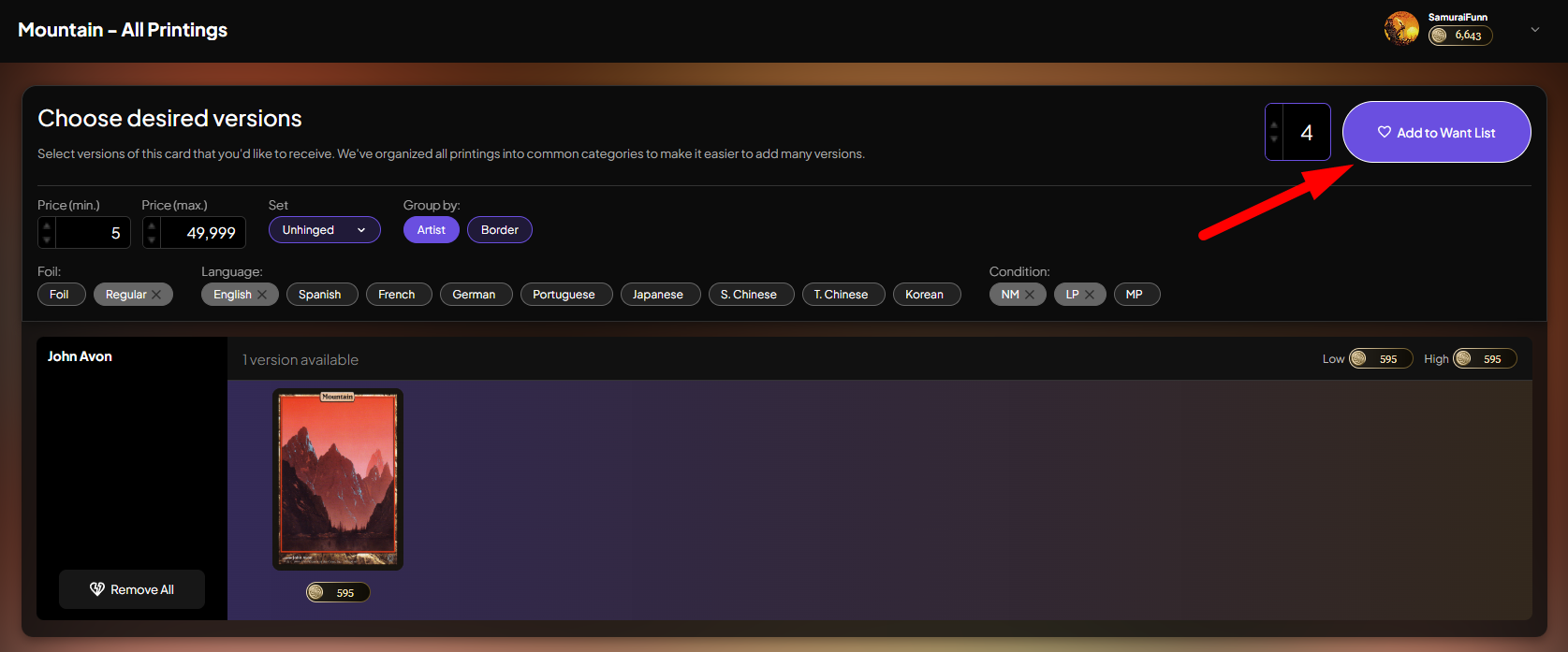
Once you've filtered down to the versions you want, it will be selected by default. If you see versions you don't want, just click on each card to de-select it. Anything you de-select won't be added to your list.
You can select multiple printings at once—perfect for collectors who want several versions of the same card.
Step 5: Set Quantity and Add to Want List
Use the quantity selector in the top right to specify how many copies you want of each selected printing. Then click Add to Want List.
That's it. Your Want List now includes the exact versions you're looking for, and traders will know precisely what to send you.
Pro Tips
Use the Artist grouping — When collecting basics or cards with many printings, grouping by artist helps you find specific illustrations quickly. Looking for that Christopher Rush Lightning Bolt? Group by artist and scroll right to it.
Combine filters — Want only foil Japanese printings from a specific set? Stack the filters. Set + Language + Foil narrows things down fast.
Check point values — Some printings are worth significantly more than others. The point value shown under each card helps you understand relative rarity and demand.
Your preferences carry over — If you've set default preferences in Settings (condition, language, foil), they'll be pre-selected on this page. Set your defaults once and save time on every card you add.
When to Use This vs. Quick Add
Use Choose Printings when:
You care about specific sets, artists, or frames, especially for cards with many versions.
You're collecting particular versions
The card has many printings and you want to be selective
Use Quick Add when:
Any version works for you
You're rapidly building a list and version doesn't matter
You just need the card for play, not collection
Get Started
Next time you're adding a card with multiple printings, take a moment to explore the Choose Printings page. Whether you're hunting for that perfect Guru land or just want the cheapest available Lightning Bolt, the filters make it easy to specify exactly what belongs on your Want List.
Happy collecting!
Questions about finding specific printings? Reach out on Twitter, Bluesky, or Reddit.
Keep reading
- How to Build Community by Trading Cards
Unexpected and Delightful Throw-Ins - The Joy of Trading Cards Again
Why Trade Magic Is Bringing Back Magic's Best Kept Secret - Why Magic Players Need a Better Way to Trade
Why the magic trade market needs a purpose-built platform in 2026